

In certain scenarios, administrators need access to Office 365 audit logs to track user actions such as deleting emails in Outlook, configuration changes in SharePoint Online, or activity in Teams. To achieve this, we can enable usage auditing in Microsoft 365, a key feature for security and monitoring.
What is Office 365 auditing?
The Microsoft 365 audit log allows you to record and review user activities within the environment. Although it is a resource‑intensive process, it provides a comprehensive view to:
- Analyze how users interact with Office 365 and its applications.
- Detect security incidents or misuse..
- Resolve issues more quickly thanks to activity logs.
With it, you can monitor Teams, SharePoint, and Outlook, as well as other services in the suite.
How to enable auditing in Office 365 step by step
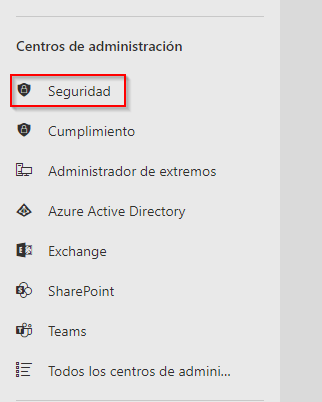
- Access the Microsoft 365 Admin Center.
- Go to the Security area.
- Navigate to the Search section → Audit log search..
- If you have never used it before, you will see the “Enable auditing” option at the top.


Once enabled, you will be able to search for user records in Office 365 from that date onward and view actions across different categories.
To view all available options, select “Show results for all activities”.
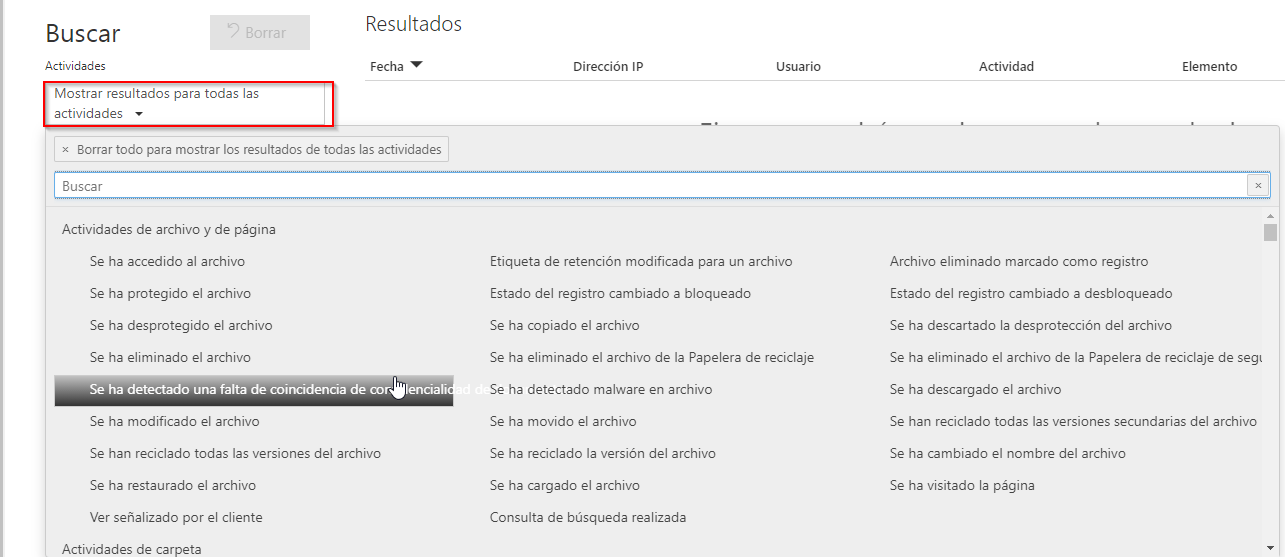
What activities can you audit in Microsoft 365?
The logs cover multiple applications and services. Some of the most common include:
- SharePoint Online activity auditing (file creation, editing, or deletion).
- Teams activity tracking (messages, meetings, and configuration changes).
- Outlook activity monitoring (email deletion, mailbox access).
- User activity logs in Office 365 (sign‑ins, permissions, credentials).
With these options, administrators gain a detailed view of Office 365 usage and security.
Benefits of enabling auditing in Microsoft 365
- Strengthens security and the detection of suspicious behavior.
- Allows for tracking changes in SharePoint and Outlook.
- Facilitates user monitoring in Office 365.
- Improves incident response capabilities.
In addition, it integrates with the Microsoft 365 Security & Compliance Center, which streamlines advanced log management.
Recommendations
Enabling Office 365 auditing is an essential step for any administrator looking to enhance security, monitor critical activities, and ensure greater control over corporate information.
Want to get the most out of Microsoft 365? At ABD IT Consulting and Solucions , we help you configure and optimize auditing, as well as strengthen security and productivity across your organization.