

As every year, we dedicate the last Microsoft 365 Admins tip to reminding you of a feature that can help simplify Microsoft 365 administration during vacation periods. Having all admin options at hand can help you quickly respond to incidents or fix configuration issues properly and rapidly.
To access all options, simply go to your Microsoft 365 portal and scroll to the bottom of the left menu options. If not all options appear, click "Show all".
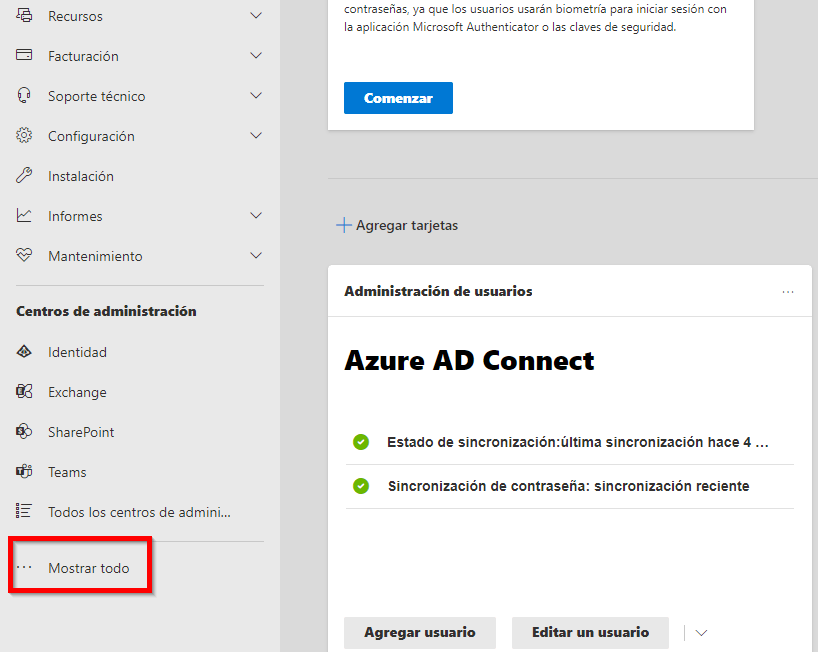
Once expanded, you'll see all admin centers at the bottom left again but with more options displayed. There you can select the one you need.
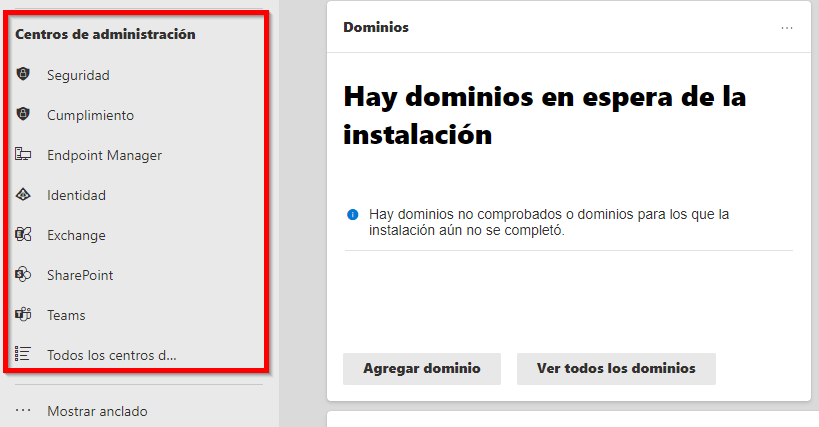
You'll notice some changes compared to a few months ago, as some admin centers have been renamed or separated from others. The clearest example is "Azure Active Directory." This no longer appears under that name since Microsoft decided to integrate it into the "Microsoft Entra" application. From now on, you'll find it under the name "Identity."
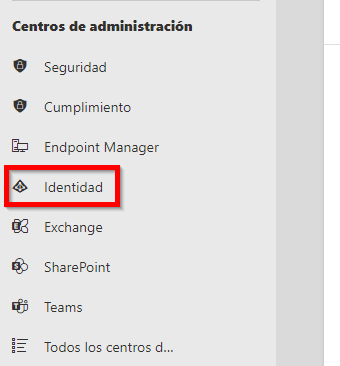
Another example is the separation of "Security and Compliance," which now appear separately, though more time has passed since that change.

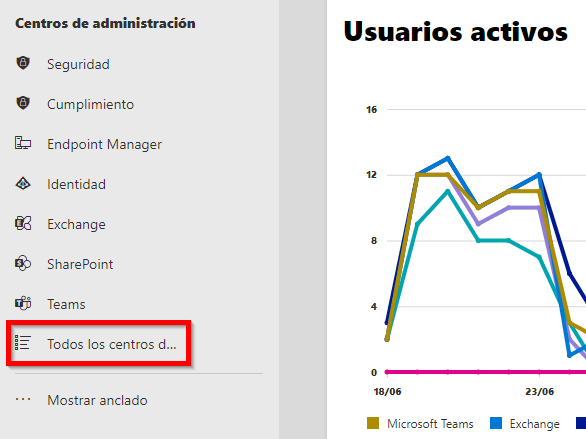
Finally, note that you can access all admin centers from their respective options, giving you the complete set of platform configuration options.
Making Microsoft 365 admins' and users' tasks easier is our goal when preparing these tips. We hope this year's tips have been useful and interesting for our visitors. Of course, we're attentive to your questions, and if you have any regarding Microsoft 365, feel free to contact us through our usual channels—we'll help you.