


We are aware that the security of our information systems has become one of the main concerns of users and companies; in some cases, it is the primary concern.
In all levels of a company we must be concerned about these bad practices of cybercriminals and we must, in some cases, have some tool to detect and even combat a cyberattack or an identity impersonation attempt.
As daily Microsoft 365 users and users concerned about our security, we must be informed not only about what cyberattacks we can suffer, but also, to some extent, how to identify it and confirm our suspicions if we have been attacked.
In this article we will show how the user can check, in their Microsoft 365 profile, the recent logins they have made and detect something suspicious if it exists.
The Importance of Security in Microsoft 365
Daily use of Microsoft 365 places us at the center of digital interaction, making it an attractive target for cybercriminals.
Identifying potential threats and knowing how to verify them is essential to safeguard our security and that of our data.
Checking Logins in Microsoft 365
Step 1: Access the Microsoft 365 profile via portal.office.com.
Within your portal you must access your user profile, clicking with the left mouse button on your user image in the upper right corner of the screen.
In the dropdown that appears you must select the "View account" option.
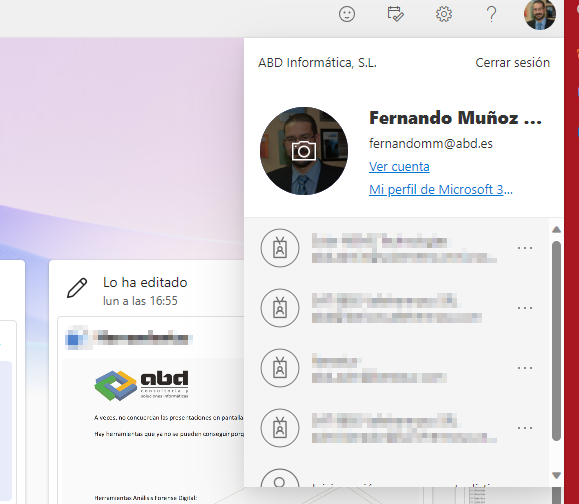
Step 2: Navigate to the user profile and select "View account".
Here, we will find a series of cards with diverse information, including one regarding "User Logins".
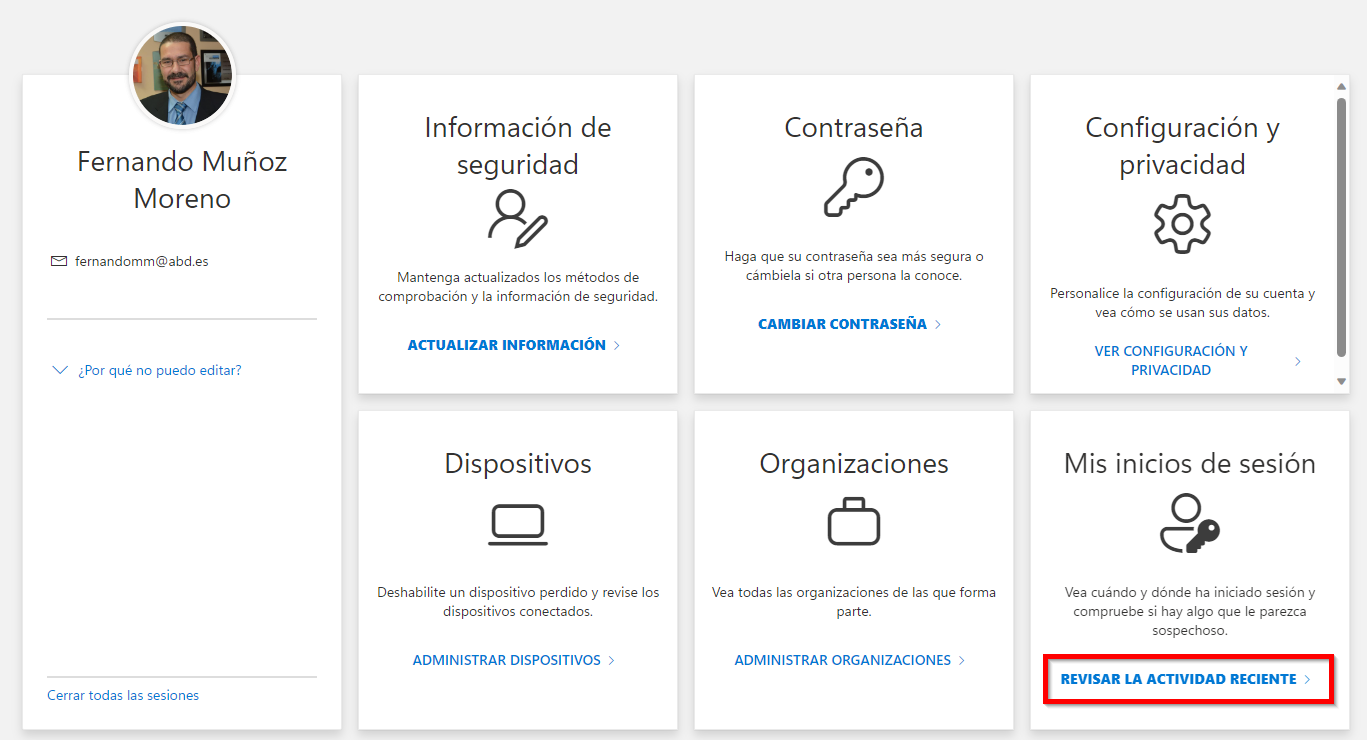
Microsoft 365 Login Analysis
Clicking on the logins link will reveal a detailed list of all recent connections made in Microsoft 365.
This analysis allows users to identify any suspicious login and act accordingly.
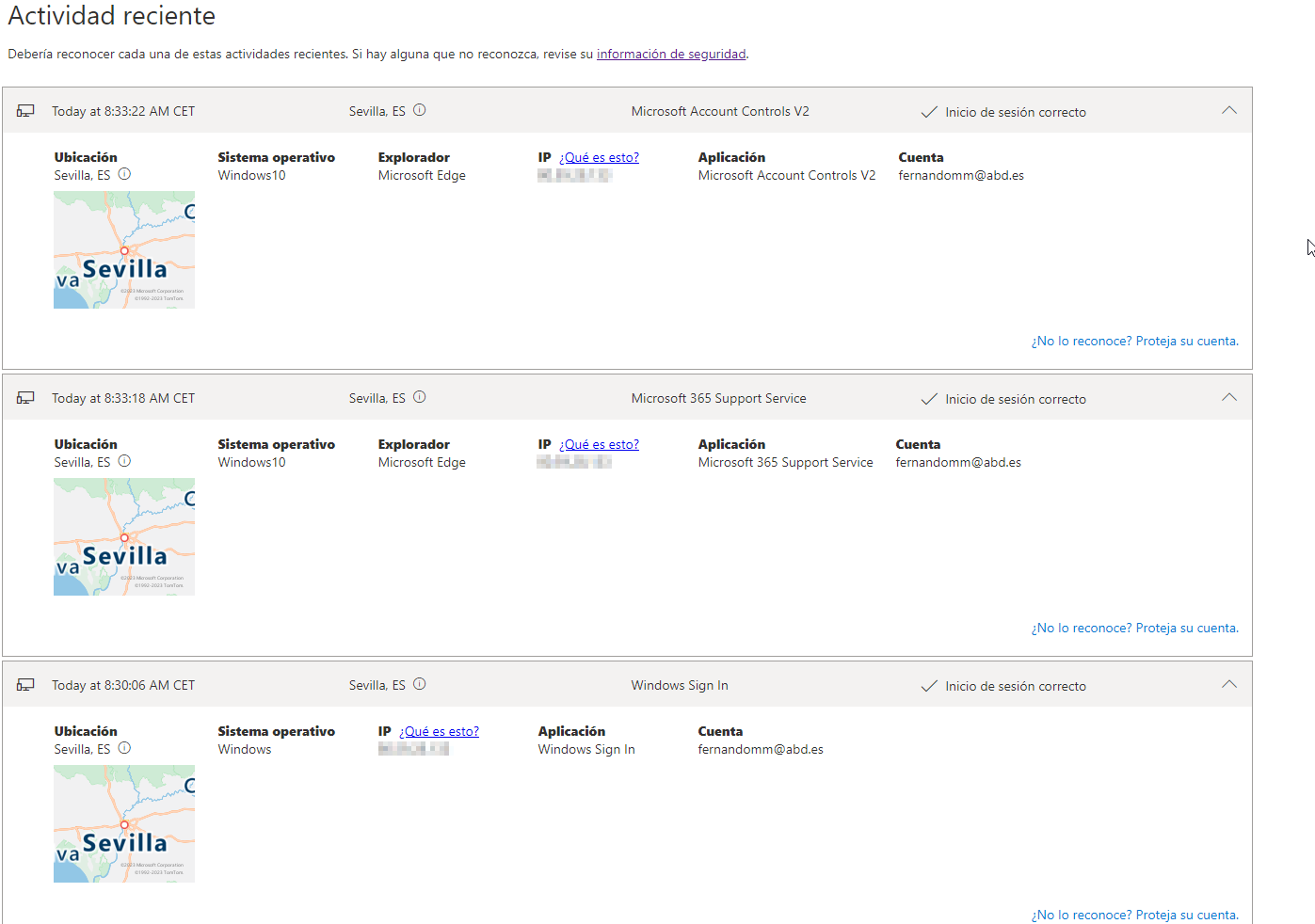
Recurrent Practice and Early Detection
Performing this practice periodically becomes a powerful tool for detecting cyberattacks before they cause damage.
If suspicious activity is identified, it is recommended to change the login password from the main screen of the Microsoft 365 portal.

Also read: Microsoft 365 User Tip: organizing apps on the start screen
Commitment to Security
It is imperative that every user plays their active role in the company's security.
Early detection of unauthorized login attempts not only strengthens defenses against cyberattacks but also reflects the ongoing commitment to digital security.
With advanced tools like Copilot and the artificial intelligence integrated into Microsoft 365, users have additional resources to further enhance protection against digital threats.
By staying vigilant and leveraging these technologies, we collaborate in building a safer digital environment.
In case of identifying suspicious activity, users are urged to immediately report it to IT administrators to take timely action.
In summary, the regular practice of reviewing logins in Microsoft 365 becomes an effective strategy to detect and prevent cyberattacks.
Taking proactive measures and contributing to platform security is essential to maintain a secure digital environment.
If you want more information about this or any other security measure or about Microsoft 365 and platform security feel free to contact us and we will help you.