


How to insert a record with a specific SystemId in AL?
In today’s blog, we will briefly explain how to insert a record with a specified SystemId in AL.
As you know, we can insert data directly through AL, which is very common during customization. The Record.Insert() method is used.
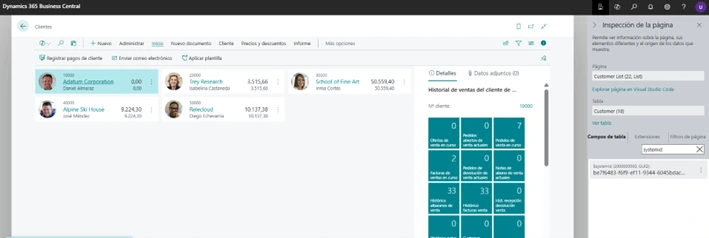
What is the Record.Insert() method in AL?
Record.Insert() method: The Insert method inserts a record into a table.
Let’s look at a very simple example:
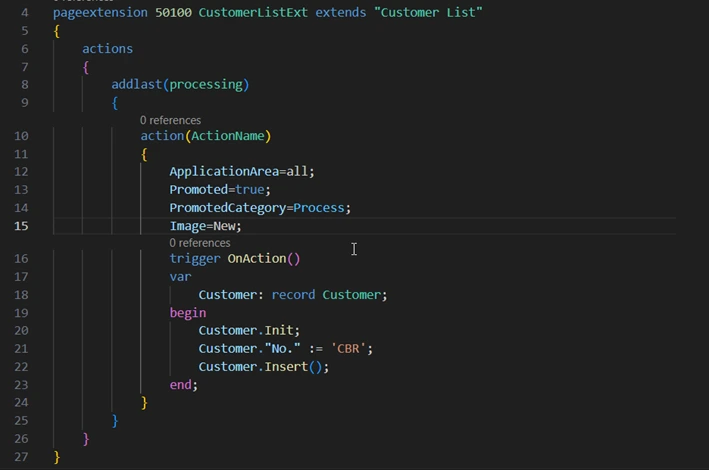
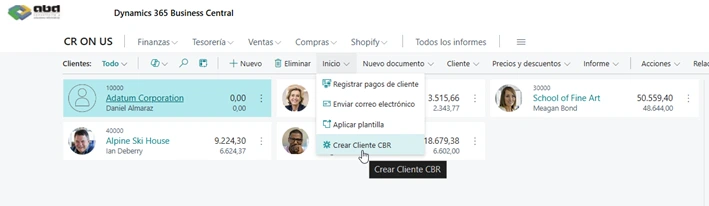
And the platform will automatically assign a SystemId to the inserted record. (It has nothing to do with whether the OnInsert trigger runs)
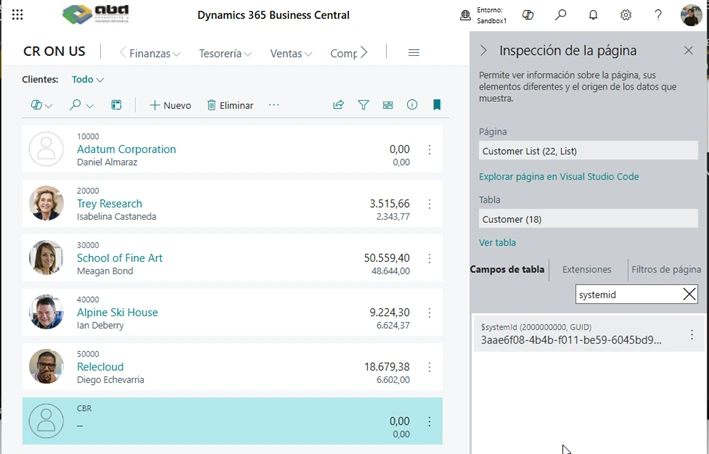
What is the SystemId field in Dynamics 365 Business Central?
Characteristics of the SystemId field in AL
SystemId field (APPLIES TO: Business Central 2019 Release Wave 2 and later)
The SystemId field is a GUID data type field that specifies a unique and immutable (read‑only) identifier for table records. The SystemId field has the following characteristics and behavior:
-
All records must have a value in the SystemId field.
-
You can assign your own value when a record is inserted into the database. Otherwise, the platform will automatically generate and assign one.
-
Once the SystemId has been set, it cannot be changed.
-
There is always a unique secondary key on the SystemId field to ensure that records do not have identical field values.
-
The SystemId field is assigned field number 2000000000.
The SystemId field can also be used as a binding key for an API.
How to insert a record with a SystemId using Insert(Boolean, Boolean)?
So, can we insert a record with a specified SystemId in AL? Yes, it’s not difficult. To assign a specific SystemId instead of the one generated by the platform, use Insert(Boolean, Boolean) instead.
RunTrigger parameter: control execution of OnInsert
RunTrigger
Type: Boolean
If this parameter is true, the OnInsert trigger code is executed. If this parameter is false, the OnInsert trigger code is not executed. The default value is false.
InsertWithSystemId parameter: assign SystemId manually
InsertWithSystemId
Type: Boolean
If this parameter is true, the SystemId field of the record is assigned a value that is explicitly set. If no value is assigned, the platform assigns one. If this parameter is false, the SystemId field is assigned a value automatically generated by the platform. The default value is false.
Key consideration when using SystemId in AL
Important: once the SystemId has been set on a record, it cannot be changed.
About ABD Consulting and IT Solutions

At ABD Consulting and IT Solutions we have been helping companies transform their management for more than 30 years through advanced technological solutions. As an official Microsoft partner, we specialize in the implementation, customization, and support of Dynamics 365 Business Central.
Our technical team is proficient in AL development and in optimizing Business Central environments, helping our clients adapt the ERP to their real needs, whether through customizations, integrations, or process automation.
Do you want to take Business Central one step further? Write to us and we will accompany you from strategy to code.