

Generative artificial intelligence is already part of the daily operations of many companies, and Microsoft Copilot is one of the key tools to take full advantage of it.
In this quick guide, we explain how to create your own Microsoft Copilot agent from Copilot Chat, customizing it with your own data and preferences.
https://youtu.be/nkbmePVnXjw
What is an agent in Microsoft Copilot?
A Microsoft Copilot agent is an AI instance that you can configure to operate in a personalized way within your Microsoft 365 environment. Through Copilot Studio (formerly Power Virtual Agents) or directly from Copilot Chat, you can define its behavior, knowledge base, and capabilities.
Requirements to create a Copilot agent
Before getting started, make sure you meet these minimum requirements:
- An active Microsoft 365 account.
- Access to Copilot for Microsoft 365 with admin permissions.
- Internet connection and an up‑to‑date browser.
With these elements in place, you can begin creating your personalized Copilot agent.
Steps to create your Microsoft Copilot agent
1. Sign in to Microsoft 365 and open Copilot Chat
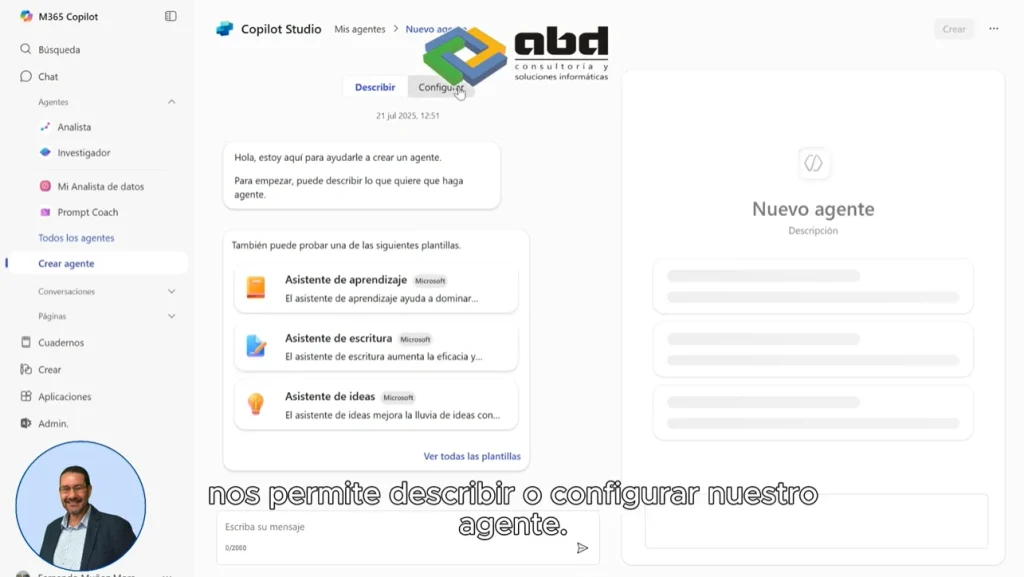
From the Microsoft 365 portal, access Copilot Chat. Within the interface, select the option Create agents.
2. Define the purpose of the agent
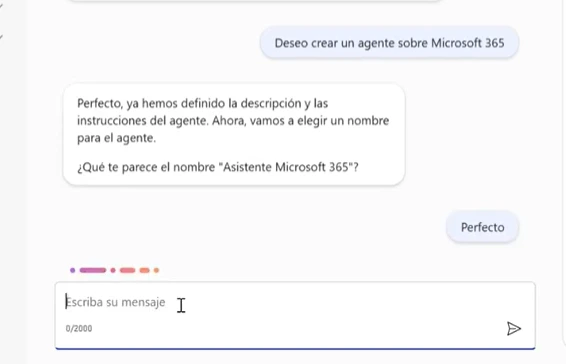
Microsoft will ask you for a brief description of the agent. You can write something like:
“I want to create an agent that answers questions about Microsoft 365 licensing and support after a migration.”
This initial information will guide the agent’s behavior.
3. Answer the configuration questions
The system will ask questions such as:
- What will the agent’s name be?
- What type of information should it provide?
- Which topics should it prioritize?
Respond according to your needs. In the video example, the agent was designed to answer questions about Microsoft 365 licensing and technical support after a migration.
Customize your agent’s knowledge
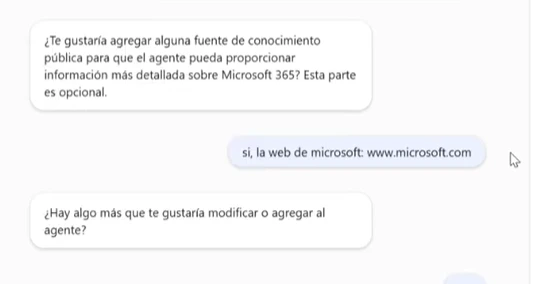
Microsoft Copilot allows allows you to add external knowledge sources, such as:
- URLs (for example, https://www.microsoft.com).
- Corporate documents.
- Databases or other internal resources.
This is useful if you want the agent to respond with information specific to your company, products, or services.
Test and adjust the agent’s behavior
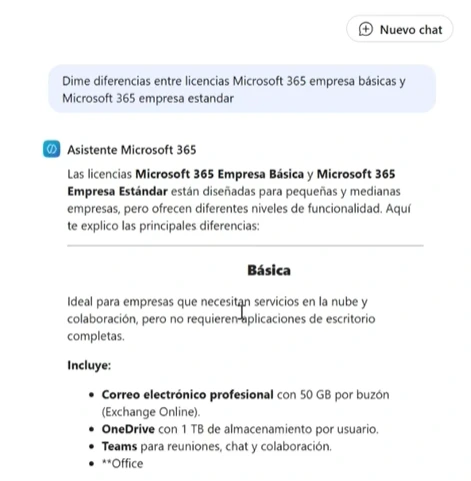
Once created, you can test the agent with real questions such as:
“What are the differences between Microsoft 365 Business Basic and Business Standard?”
In addition, you can access the agent’s settings to:
- Edit instructions.
- Add or remove knowledge sources.
- Enable advanced capabilities (such as code generation or image handling).
Advantages of creating an agent with Copilot Chat
- Automate frequent questions within your organization.
- Reduce the workload for your support or IT team.
- Customize the AI according to your internal processes.
- Enhance the user experience across the Microsoft 365 ecosystem.
ABD Consulting helps you implement AI with Microsoft Copilot

At ABD Consulting and IT Solutions we are experts in Microsoft solutions and in integrating artificial intelligence into business environments. As an official partner, we help you:
- Configure and customize agents with Microsoft Copilot.
- Deploy Copilot for Microsoft 365 across your organization.
- Train your teams to take full advantage of AI.
Would you like to try Copilot in your company? Contact us and we’ll help you set up your own Microsoft Copilot agent from scratch.