
These are the advantages of using Microsoft 365
– Scalability
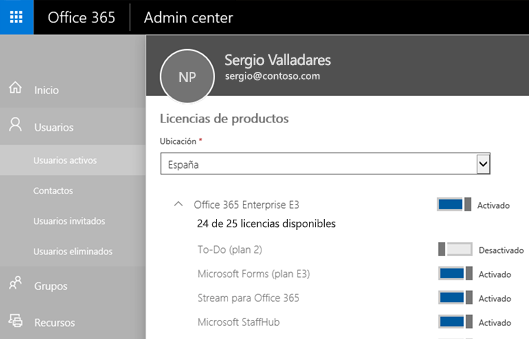
Microsoft 365 offers significant advantages by allowing us to quickly scale user accounts, licenses, and permissions. Plus, we can combine applications based on each user's role.
– Work from any geographic location
With Microsoft 365, we can work from anywhere in the world without missing any updates or changes made to documents.
– Work from any device
This advantage provides great convenience and versatility when working from any type of device—mobile phone, tablet, or others—regardless of Android or iOS systems, as we'll have the full Office suite available at our fingertips.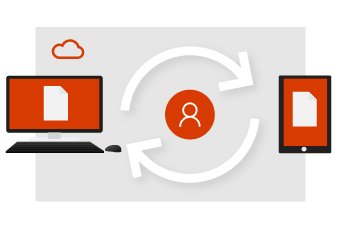
– Collaboration
We can collaborate very easily and quickly with colleagues and even between companies. One key highlight is multi-user document editing integration, meaning if we have an Excel sheet open and a colleague is making changes, we can see those updates in real time.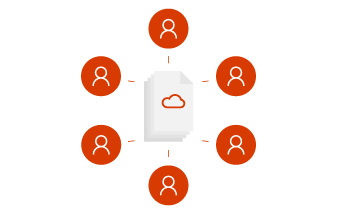
– Updates
The Microsoft support team works daily on performance and continuous improvement of its applications, so we'll always have our Office suite up to date.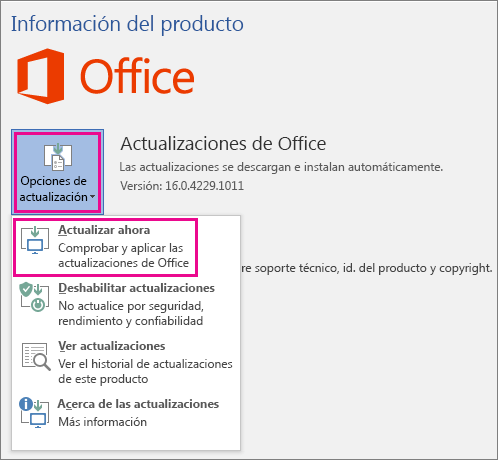
– Licensing costs
Depending on our company type, Microsoft 365 offers a wide range of licenses to meet user needs. Based on user count or work type, we can choose the most suitable license.
– Cloud services that eliminate on-premises hardware needs
As implied, using Microsoft 365 lets us remove servers from our facilities, reducing electricity costs and hardware maintenance. It also simplifies user device replacement and quick onboarding, as all data is in the cloud.
Office 365 suite installations
With user licensing, we can get up to 5 Office suite installations per account—a significant advantage since most users don't rely on just one device, allowing account use across multiple devices.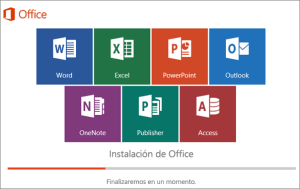
– Security
This is one of the most extensive advantages, as it's one of the most secure platforms. Here are some key security features in Microsoft 365:- Message encryption: This lets you send encrypted emails, preventing unauthorized access to the content.
- Advanced Threat Analytics: Uses analysis and machine learning to immediately detect unusual and suspicious activities. With built-in intelligence updated in real time, it identifies malicious emails, links, and suspicious attachments that could harm your network. You'll receive notifications when malware is detected and automatically removed from your email.
- Device management: This helps protect and manage Microsoft 365 on employee devices, creating and enforcing security policies, wiping devices, generating detailed reports, and safeguarding company private information.
- Data Loss Prevention: Monitors emails to block the outflow of classified company information.

All Microsoft 365 advantages
Discover the full potential of Microsoft 365 to boost your productivity and your company's. We're M365 and Office specialists, contact us and we'll advise you on the best option for your needs.