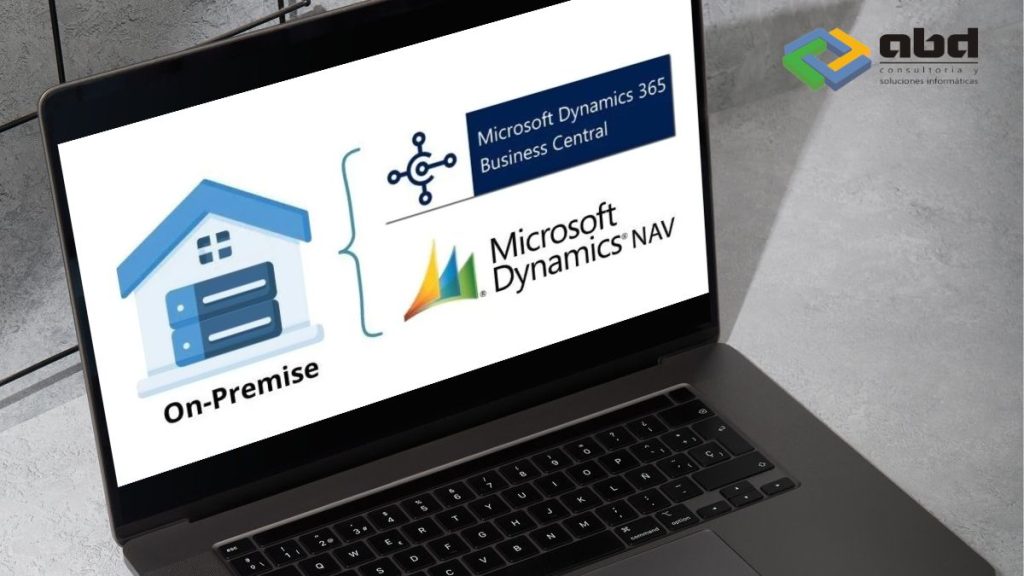
Microsoft Dynamics NAV (Navision)
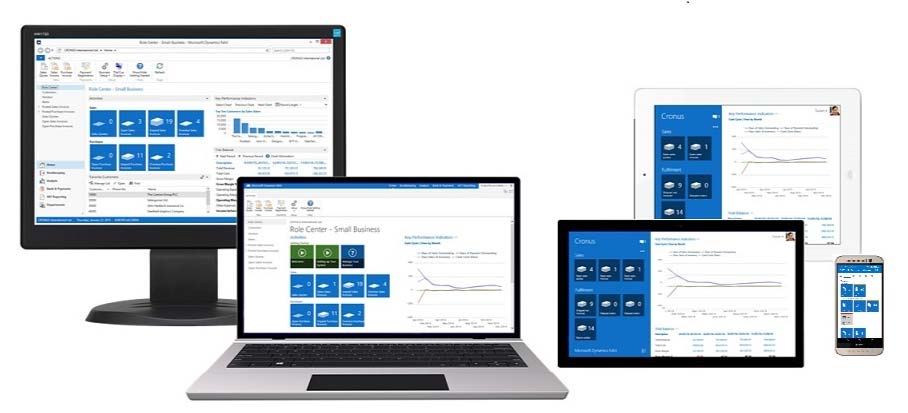
Dynamics NAV (Navision) helps small and medium‑sized businesses, as well as local subsidiaries of large international groups, manage finance, manufacturing, customer relationships (CRM), supply chains, analytics, and e‑commerce.

What is Dynamics NAV (Navision)?
Dynamics NAV (Navision) is an enterprise resource planning (ERP) application.
It uses its own programming language, C/AL, and is part of the suite of intelligent business applications within Microsoft Dynamics Navision.
Since 1983, Dynamics NAV—formerly known as Navision—has provided innovative features and capabilities that drive business growth worldwide. This ERP system supports the management of individual companies or corporate groups through the effective collection and validation of business data.
How does Navision improve financial transparency and business finance management?
Microsoft Dynamics NAV strengthens financial transparency and management through its advanced ERP functionality. The software provides clear and direct access to all financial data, such as accounting performance, daily transactions, and profit‑and‑loss reports.
Focus on SMEs
It is specifically designed for small and medium‑sized enterprises (SMEs), addressing the unique needs of each organization and supporting their growth. Its flexibility also makes it suitable for subsidiaries of large international groups.
Key Benefits of Navision
- Full Visibility: Provides a comprehensive real‑time view of your finances, helping you quickly identify opportunities and issues.
- Detailed Reports: The ability to generate detailed and customized reports enables a deeper understanding of financial metrics, tailored to your business needs.
- Process Automation: Automates repetitive tasks and reduces human errors, increasing operational efficiency.
- Transaction Control: Enhances the tracking and verification of each transaction, promoting more accurate and reliable accounting.
- Seamless Integration: Easily integrates with other IT systems in the company, centralizing information for more strategic management.
Additionally, with an integrated IT system, you can maintain constant control over all financial and operational aspects, ensuring you always stay informed about your business and enabling more confident decision‑making.
The new version of NAV (Navision) is now Dynamics 365 Business Central.
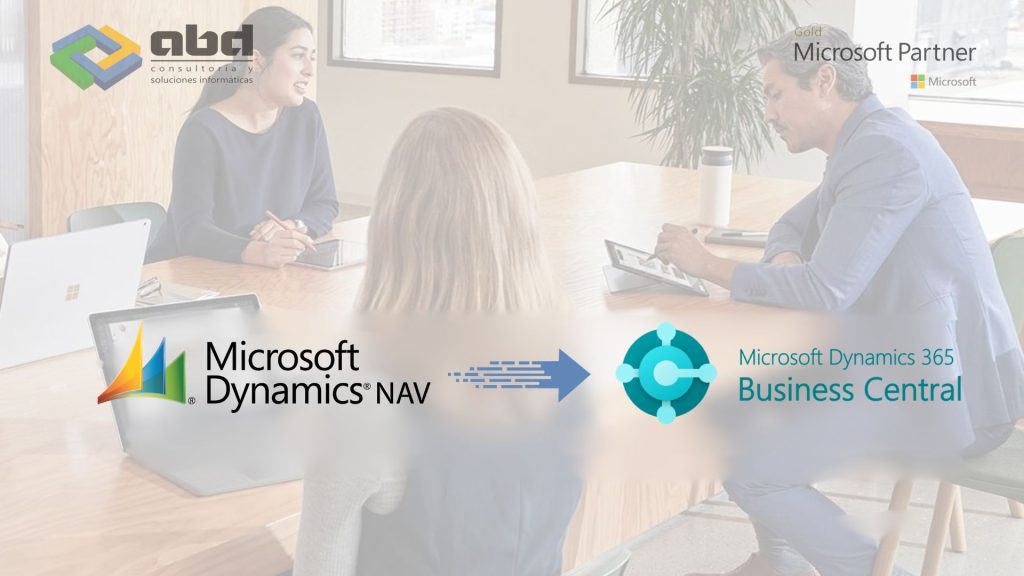
Dynamics NAV (Navision) is now Dynamics 365 Business Central. The transition from Dynamics NAV to Dynamics 365 Business Central has completely modernized the solution’s internal architecture.
It is now 100% cloud‑based and mobile, making it a more flexible application with the ability to adapt easily to any industry.
It’s time to migrate from Navision to Business Central in the cloud
Keeping Dynamics NAV (Navision) without support exposes your system to security risks and increasing costs.
Obsolescence and cyber vulnerability are imminent threats.
Instead of continuously investing in an on‑premise solution—with its IT expenses and associated risks—the transition to Business Central in the cloud offers stability, security, and efficiency.
Advantages of migrating from Navision to Business Central in the cloud
Increased productivity
You will have a more collaborative, unified, and secure environment thanks to the tools integrated into Office 365, such as Microsoft Teams, Yammer, Excel, PowerPoint, and more. Manage your company’s operations efficiently throughout the entire lifecycle of your product or project.
Flexible and scalable
Dynamics 365 Business Central is an agile, flexible, and more integrated solution than ever, capable of meeting both your current business needs and future requirements.
Smarter
Boost your business profitability with advanced analytics tools that help you predict and anticipate demand.
Intelligent analysis
Gain intelligent insights through static or interactive reports based on the data your business requires. With Power BI, you can easily create and consult these reports.
Fast deployment
Business Central runs on Azure cloud, making implementation and updates very simple. You will reduce total costs and achieve ROI in a shorter period of time.
Why migrate your Dynamics NAV (Navision) to Business Central in the cloud
We want your transition to Dynamics 365 Business Central to be successful. Before the expiration and renewal of your current BREP, we will review the impact with you. With this detailed and financially quantified information, you will be able to decide whether to migrate to Business Central Cloud (SaaS) or, alternatively, renew your BREP and remain in a traditional environment.

Always up to date
Stay current with the latest Microsoft cloud technology without worrying about manually deploying updates, backups, or patches.
Controlled spending
Reduce your total cost of ownership (TCO) and improve cash flow by eliminating upfront license investments. Move to a predictable monthly operational expense with a user‑per‑month subscription model.
Data turned into insight
Make better business decisions with advanced analytics. Access, model, and analyze data across multiple dimensions. Seamlessly synchronize your data with Microsoft Power BI to create dashboards and compelling data visualizations.
Enriched with applications
Leverage your data to build applications tailored to your business processes. Further extend your Business Central solution by incorporating apps available in the AppSource Marketplace or by using Microsoft Power Platform and the Dataverse common data service.
Maximum security without interruptions
Rest assured knowing your company’s confidential data is stored in highly secure, state‑of‑the‑art Microsoft‑owned and managed data centers. Benefit from a 99.9% uptime service‑level agreement (SLA).
Hybrid work environment
Improve remote access and enable employees to work wherever they need—from a web browser or through apps for Windows, iOS, and Android.
Integrated with Microsoft 365 | Office 365
Simplify everyday tasks with Microsoft 365 integration. Set up customers or vendors, create quotes, process orders, and send invoices without leaving your inbox. Easily export data to Excel, communicate efficiently with Teams, store documents securely in OneDrive, and generate outgoing documents directly in Word.

Business Intelligence
Harness the power of AI to perform predictive inventory, sales forecasts, cash‑flow projections, or overdue payment predictions. In complex scenarios, combine big data, predictive analytics, and the Internet of Things (IoT) to transform all information sources into actionable knowledge.
Tailored to your business
Configure your systems easily, connect third‑party applications, and add new functionality through extensions and industry‑specific solutions created by your partner.
Ready for the cloud ecosystem
Feel prepared for the future. Add and integrate other Dynamics 365 applications effortlessly as your business needs evolve.Everything you need to know to migrate from
NAV (Navision) to Business Central
Is the migration from NAV to Business Central complicated?
No. At ABD, we have a team specialized in migrating Dynamics NAV to Business Central.
We carry out an initial analysis, plan the transition, and migrate your data securely without interrupting your daily operations.
Can I keep all my data and history when migrating to Business Central?
Yes. Our migration methodology ensures the preservation of your historical data, user configurations, permissions, and customizations whenever feasible.
In addition, we provide preliminary testing to validate that everything works correctly before going live.
What savings does migrating to Business Central in the cloud offer?
By reducing maintenance costs and taking advantage of automatic updates, Business Central helps optimize your technology investment.
In addition, it enhances collaboration and streamlines processes, resulting in a faster return on investment.
What support will I have after the migration
We Offer continuous technical support, training for your team, and post‑implementation guidance to ensure a successful adoption of the new ERP.
We can also adapt Business Central to new needs as your business grows.
BREP Maintenance Program for Microsoft Dynamics NAV (Navision) On‑Premise
This annual update‑rights fee applies to On‑Premise versions under Microsoft’s perpetual license model. Keeping it continuously updated and evolving is essential to access all new features and functional improvements, ensuring the software remains a secure and reliable management tool for the company.
The benefits of keeping the plan active are often unknown, so it doesn’t always receive the value it truly deserves. Some of these benefits include:

Security and peace of mind, as it guarantees full protection and the resolution of any potential issues that may arise in the ERP, since Microsoft is continuously delivering improvements and updates.

Ensures technical support to resolve issues in the shortest possible time.

Allows the software to adapt and respond to ongoing legislative and tax changes.

Access to user guides and technical documentation.

Functional updates that lead to improved productivity, speed, and overall ERP performance.
Access to new product versions and updates (this is very important — you cannot migrate to a higher version of Microsoft Dynamics NAV without having an active BREP).

Access to certifications and online training courses for users that help improve their use of the platform.

Renewing the plan annually ensures that the price remains stable and avoids the risk of facing potential changes in the fee.
Access to a knowledge base with frequently asked questions.

Access to online conferences, events, and news.
Risks of not having an up‑to‑date BREP in your Dynamics NAV (Navision) On‑Premise system
If the BREP is left outdated, it’s important to understand the consequences. Operating a tool that is not using its full potential or is not functioning as it should represents a significant risk.
You should also consider that if your BREP is not active, your partner will no longer be able to develop additional functionality in the ERP, since you won’t have the ability to purchase new objects.