

The namespaces en Business Central llegaron con la Release Wave 2 de Business Central 2023 y suponen un cambio importante para los desarrolladores que trabajan con lenguaje AL.
This new functionality radically changes how we organize and manage our code, offering a more efficient way to structure it and avoiding the dreaded naming conflicts.
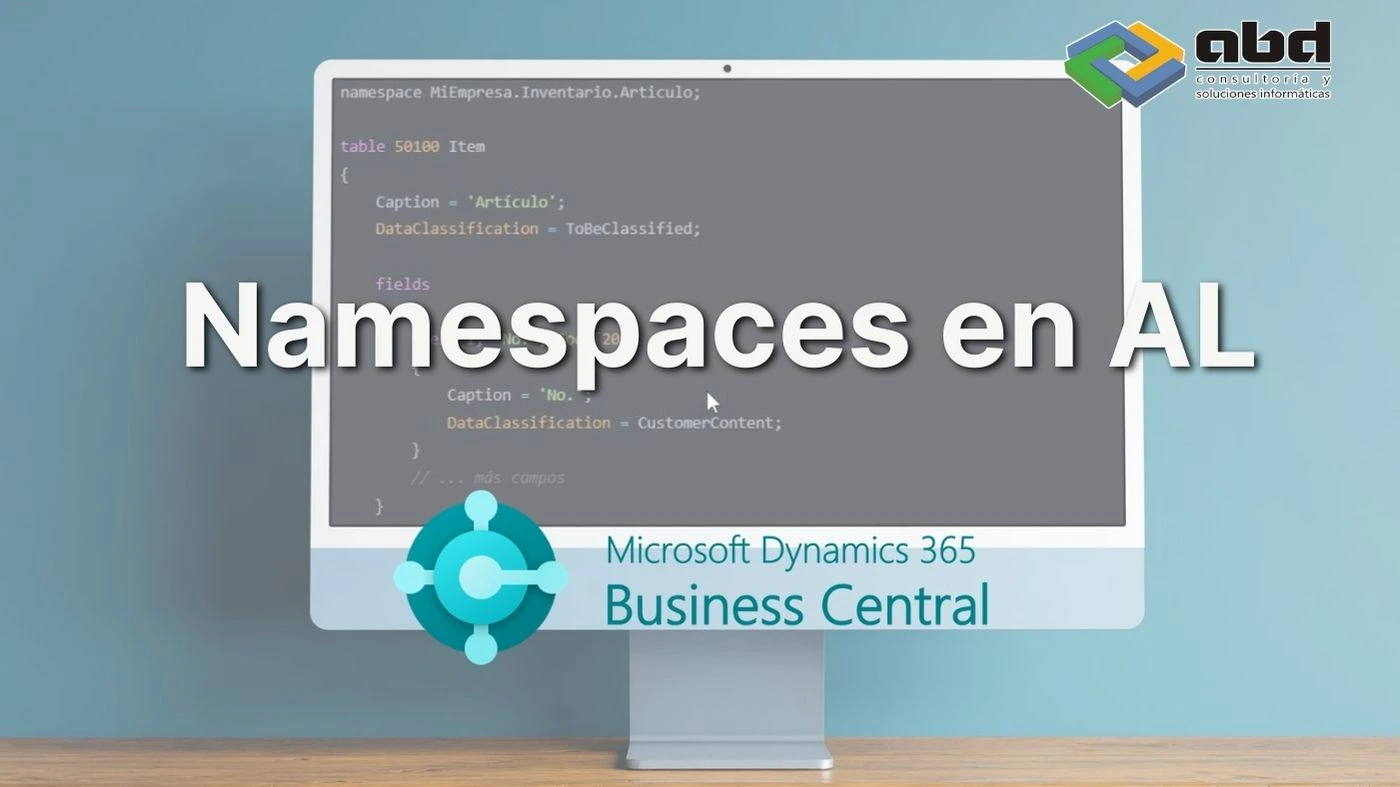
Qué son los namespaces en Business Central
Namespaces (or name spaces) are logical containers that allow you to group and structure your code hierarchically.
This feature eliminates the need to use repetitive prefixes in custom objects, solving a common issue: maintaining different objects with the same name within a solution, as long as they belong to different namespaces.
Principales ventajas de utilizar namespaces
- Facilitan una organización modular del código.
- Eliminan la dependencia de prefijos redundantes.
- Resuelven conflictos de nombres entre objetos.
- Aportan mayor claridad a la estructura del proyecto.
- Permiten agrupar lógicamente funcionalidades relacionadas.

Reglas para utilizar namespaces en Business Central
Reglas de unicidad
- There can only be one object of a specific type with the same name within a module.
- En un namespace solo puede haber un objeto de un tipo específico con el mismo nombre.
- Each object can belong to only one namespace.
Reglas de sintaxis
- El namespace debe ser globalmente único.
- La estructura recomendada es:
{Organización}.{Producto}.{ÁreaFuncional}
- Utiliza nombres estables y no versionados, ya que cambiar el nombre de un namespace supone un cambio disruptivo.
- El nombre puede contener cualquier identificador AL válido y puntos para indicar jerarquía.
Cómo implementar namespaces en Business Central
Crear una tabla personalizada
Basic Example: Creating a Custom Table

Trabajar con objetos con el mismo nombre
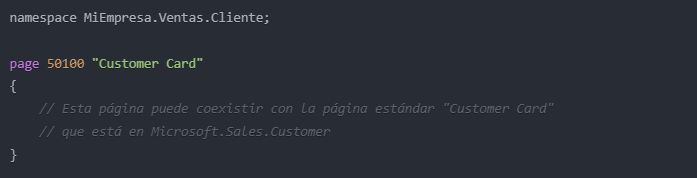
Es posible crear objetos con el mismo nombre que los objetos estándar, siempre que estén en diferentes namespaces.
For example:
Cómo gestionar referencias entre namespaces
Cuando necesitamos trabajar con objetos de diferentes namespaces, tenemos dos opciones.
Using Directives

Referencia completa
Cuando necesitamos trabajar con objetos de diferentes namespaces, también podemos utilizar referencias completas.

Automatizar namespaces con PowerShell
Microsoft proporciona un script de PowerShell para asignar múltiples namespaces dentro de carpetas específicas.
Crear el archivo CSV
Create a CSV file with the following structure:

Ejecutar el script de PowerShell
Run the PowerShell script:

Consideraciones antes de ejecutar el script
- Verifica que no existan namespaces antes de ejecutar el script.
- El script añadirá el namespace al principio de cada archivo .al en las carpetas especificadas.
- Realiza una copia de seguridad antes de ejecutar el script.
Mejores prácticas para utilizar namespaces en Business Central
Mantén una estructura coherente
- Mantén una jerarquía lógica en tus namespaces.
- Utiliza nombres descriptivos que reflejen la funcionalidad.
Gestiona correctamente las referencias
- Prioriza las using directives para mejorar la legibilidad.
- Utiliza referencias completas únicamente cuando sea necesario evitar ambigüedades.
Organiza el código de forma eficiente
- Agrupa objetos relacionados dentro del mismo namespace.
- Mantén una estructura de carpetas alineada con la estructura de namespaces.
Documenta la arquitectura
- Documenta la estructura de namespaces.
- Mantén un registro actualizado de las dependencias entre namespaces.
Conclusión: por qué utilizar namespaces en Business Central
The namespaces en Business Central representan un avance significativo en la forma de organizar y mantener el código AL.
Su implementación no solo mejora la estructura del código, sino que también facilita la colaboración entre equipos y la gestión de proyectos complejos. Al seguir las reglas y mejores prácticas descritas, podrás aprovechar al máximo esta funcionalidad para crear soluciones más robustas y mantenibles.
Es importante recordar que la transición a namespaces puede requerir una planificación cuidadosa, especialmente en proyectos existentes. Sin embargo, los beneficios a largo plazo en términos de mantenibilidad, escalabilidad y claridad del código hacen que el esfuerzo inicial merezca la pena.
Puedes consultar más información sobre los namespaces en el siguiente artículo de Microsoft.
Soluciones personalizadas para Business Central con ABD

At ABD nos especializamos en el desarrollo de soluciones y extensiones para Microsoft Dynamics 365 Business Central, aplicando las mejores prácticas recomendadas por Microsoft para garantizar proyectos escalables, mantenibles y preparados para futuras actualizaciones.
Si necesitas adaptar tus desarrollos AL, modernizar extensiones existentes o implantar nuevas funcionalidades en Business Central, nuestro equipo puede ayudarte durante todo el proceso.
Contacta con nuestros especialistas y descubre cómo optimizar tus desarrollos en Business Central.