

MCP allows an AI agent to discover and invoke capabilities exposed by Business Central through a standard mechanism. For customers, this opens the door to conversational queries about the ERP. For partners and developers, it means a new way to design smart integrations without building each connection from scratch.
Over the past few months we've seen a real explosion of artificial intelligence agents. Tools like Copilot Studio, Azure OpenAI or different business assistants are able to understand natural language, reason about information, and perform complex actions.
However, there is an important limitation: these agents need access to business data and processes. This is where MCP, Model Context Protocol, comes into play, a technology that Microsoft is incorporating into Business Central to make it easier to connect AI agents with the ERP through a standard model.
What is MCP and how does it work in Business Central?
Model Context Protocol: the standard for connecting AI agents
MCP It's an open protocol that lets an AI agent discover and invoke available operations in a business system. Instead of building specific integrations for each AI, the system exposes standardized capabilities that any compatible agent can use.
We can see it as an evolution of traditional APIs specifically geared towards artificial intelligence: the agent not only calls an endpoint, but can understand what tools exist, what data is available, and how to use them within a business context.
Why is MCP important for Business Central?
So far, if we wanted an assistant to interact with Business Central we needed custom APIs, Power Automate, web services, or specific integrations. With MCP, the goal is reduce that friction and make it easier for agents to look up business information following a common standard.
This can be applied to smart queries, task automation, department-specific assistants, and scenarios where the user interacts with Business Central using natural language.
Practical case: an AI agent checking orders in Business Central
Let's imagine the following scenario: a sales manager wants to ask an AI agent what pending orders a specific customer has, without directly opening Business Central.
Step 1. Expose data from Business Central through APIs
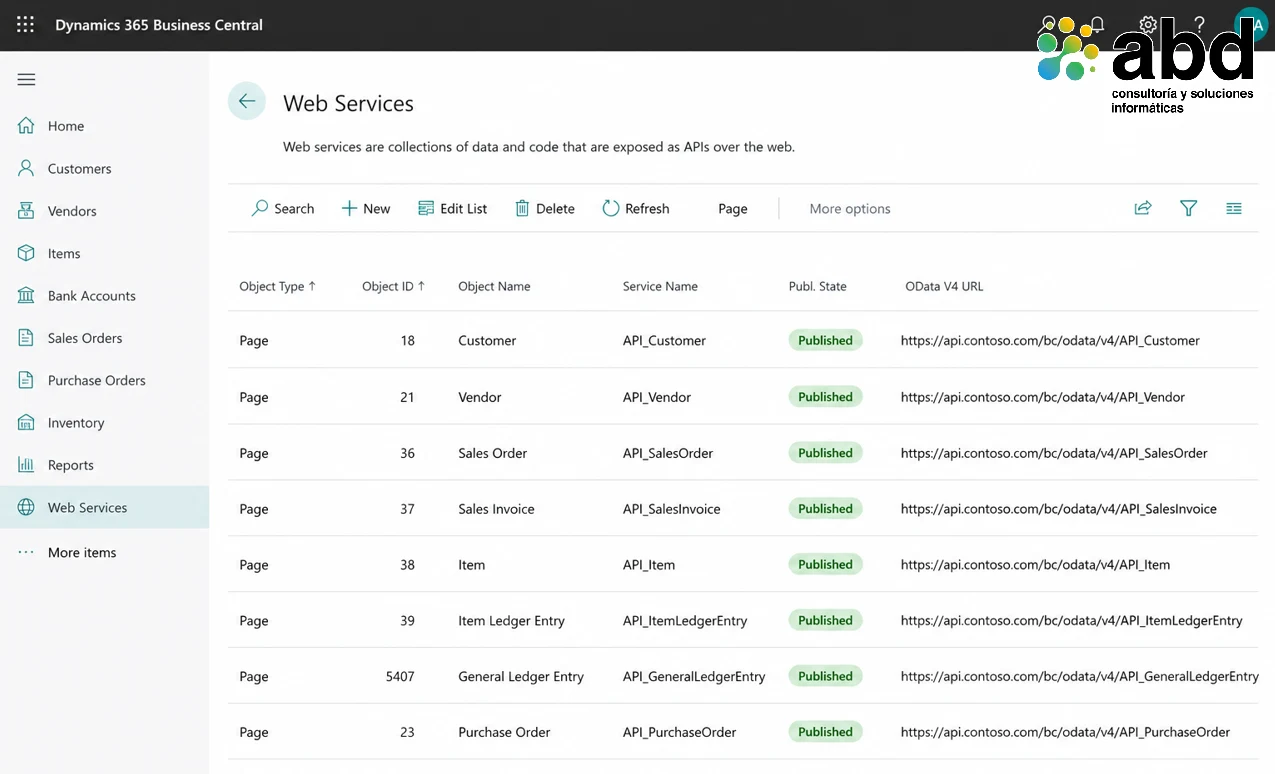
Business Central has standard APIs for entities like customers, items, orders, invoices, and contacts. In an MCP scenario, the server would expose the necessary entities to the agent so it can access the allowed information.
Step 2. Set up an MCP server connected to the ERP
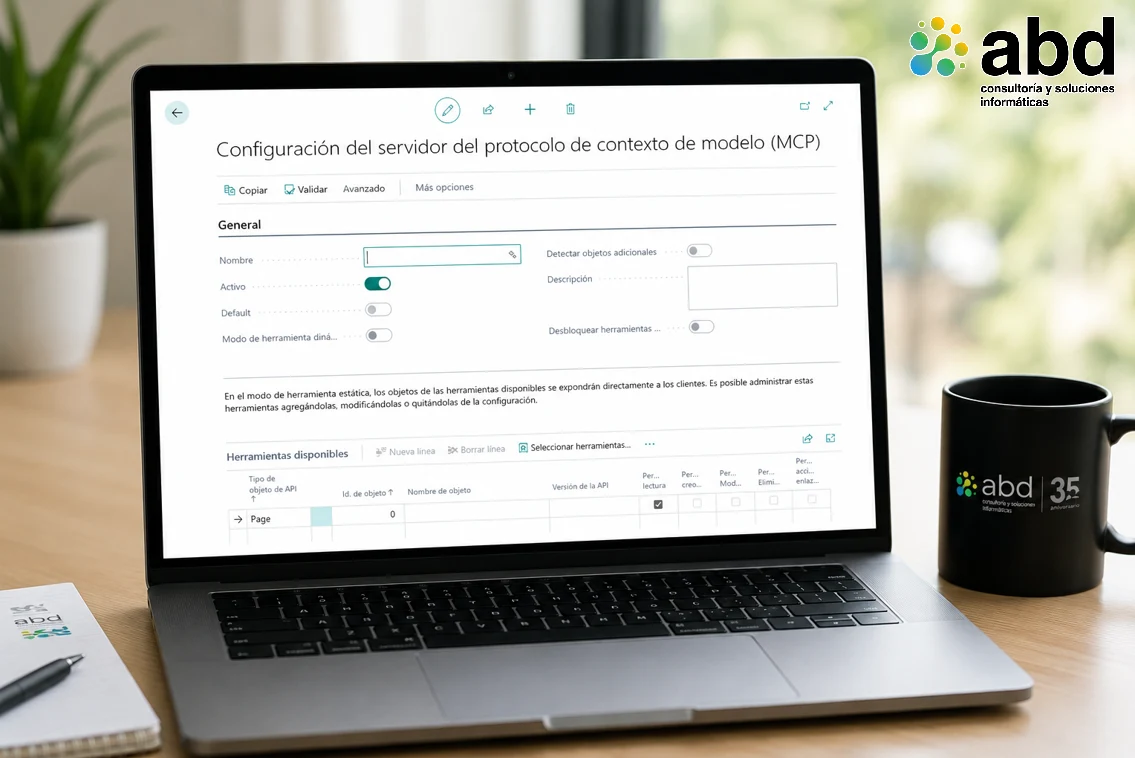
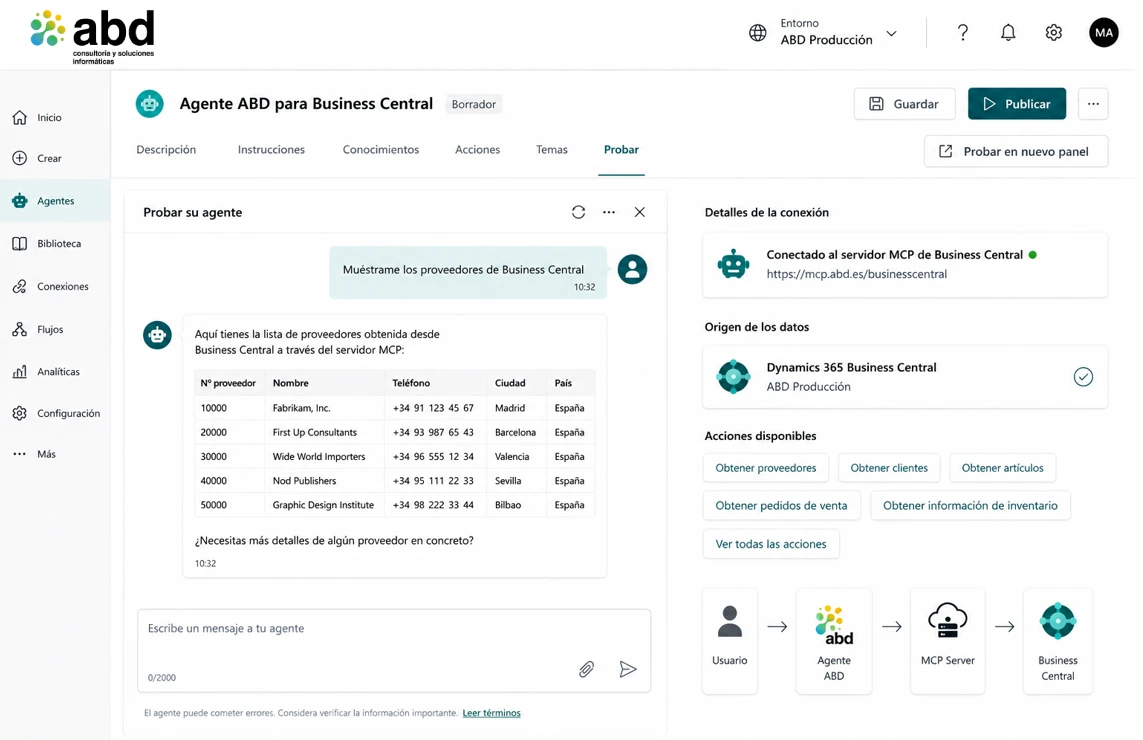
The MCP server would act as an intermediate layer between the agent and Business Central. Its role would be to describe the available capabilities and channel queries to the corresponding APIs.
Step 3. Create a smart agent for Business Central
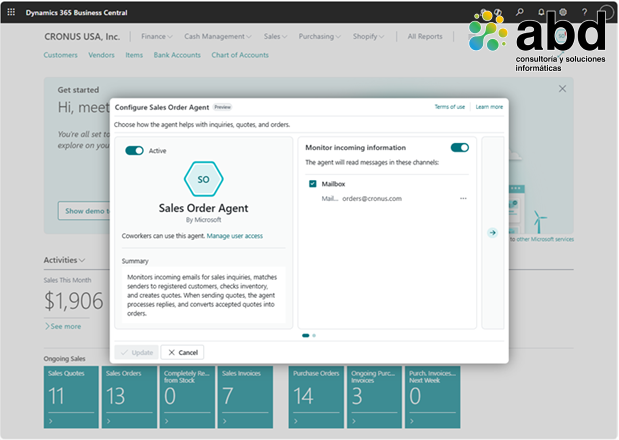
The agent would be designed with a specific purpose. For example, a sales agent meant to answer questions about customers, open orders, recent invoices, or purchase history.
Step 4. Query Business Central using natural language
The user could write: "Show me the open orders from Alpine Ski House." From that request, the agent would identify the customer entity, the open orders filter, and the expected response format.
Step 5. Get smart answers with business information
The result shouldn’t be just a simple technical table, but a functional answer: number of open orders, total amount, most relevant orders, and possible next actions.
Security and governance in MCP for Business Central
This point is critical. In MCP scenarios, it's not enough to just connect an agent to the ERP: you have to clearly define what data it can access, what operations it can perform, and under what permissions.
Benefits of MCP for Business Central users
- Less time looking for information within the ERP.
- More natural interaction through conversational language.
- Greater productivity in commercial, financial, and administrative areas.
- Possibility of automate processes that today require manual navigation through several pages.
Advantages of MCP for Business Central developers and partners
- New model to build smart solutions integrated with Business Central.
- Less dependence of specific integrations for each AI provider.
- More relevance of functional design, safety, and technical validation.
- Opportunity to create specialized assistants for each business process.
The future of Business Central with artificial intelligence
Artificial intelligence is evolving from assistants that just answer questions to agents capable of understanding business context and acting on it. MCP support in Business Central represents an important step in that direction.
For customers, MCP can mean a way more natural way to access ERP information. For developers, it opens a new stage where integration is not limited to consuming APIs, but to designing secure, governed capabilities that can be used by intelligent agents.
Boost your Business Central with artificial intelligence along with ABD
The evolution of Business Central into an ERP connected with artificial intelligence agents opens up new possibilities to boost productivity, automate tasks, and access business information more easily.
At ABD Consulting and IT Solutions we help companies get the most out of the Microsoft ecosystem, by combining Microsoft Dynamics 365 Business Central, artificial intelligence, Microsoft Copilot and Power Platform to create solutions tailored to each business.
As a Microsoft Partner specialized in Business Central, we help organizations implement, evolve, and integrate their ERP, creating secure environments ready to take advantage of the new capabilities of artificial intelligence.
Do you want to find out how AI can improve your Business Central? Contact our team and analyze the possibilities for your company.