

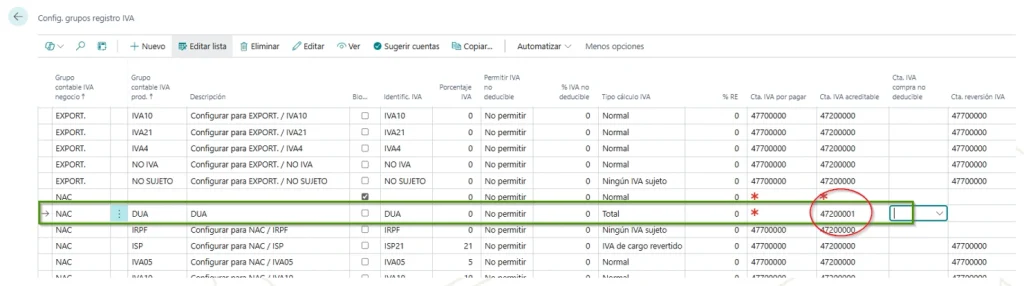
Import VAT setup with DUA
It is based on the setup of an accounting entry group product that we will call DUA and that has a VAT calculation type = TOTAL
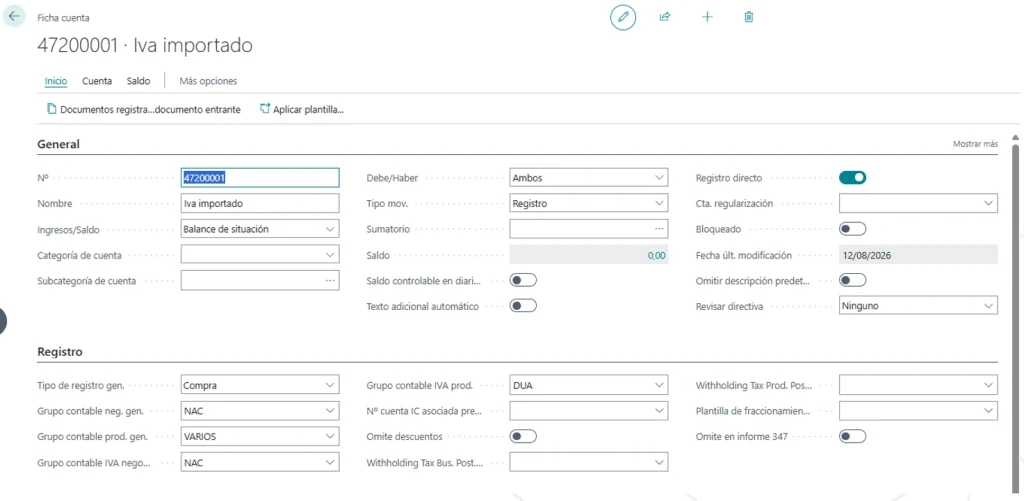
For your management, I recommend creating a new account to separate the VAT to be paid for DUA. 4720001, for example:
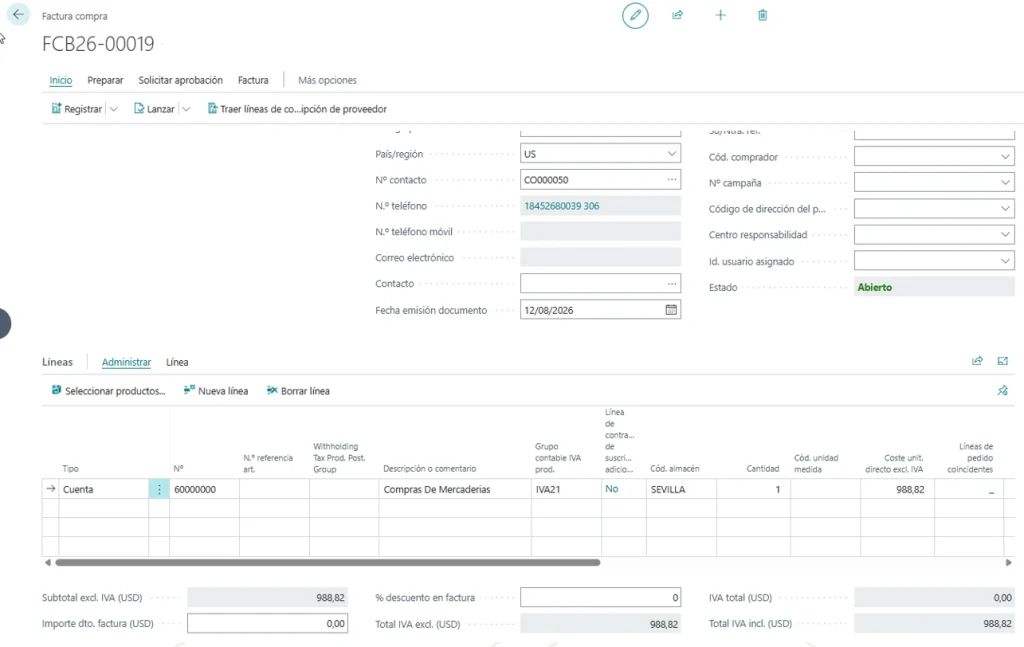
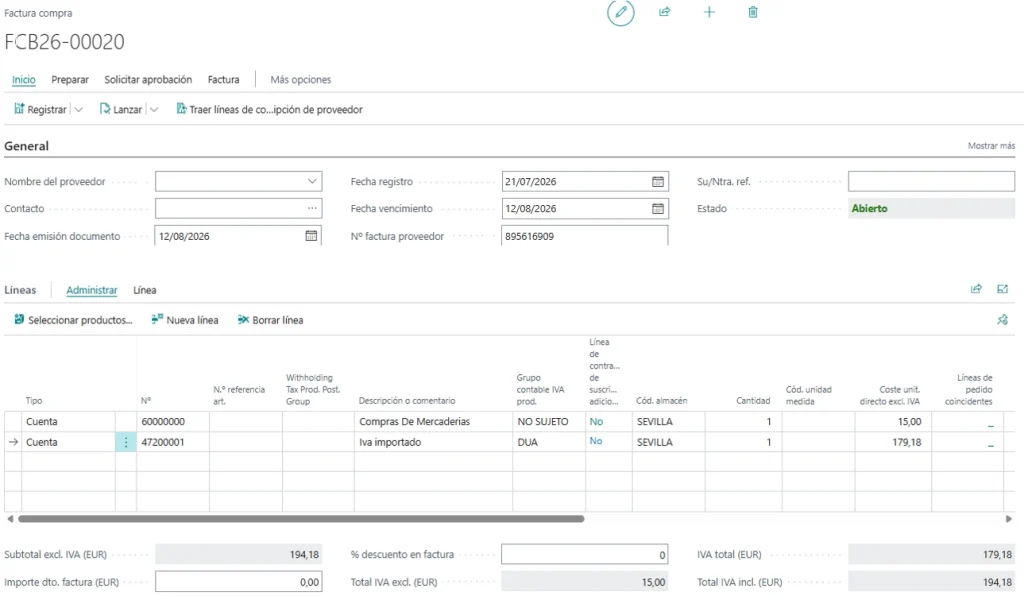
Register an import invoice in Business Central
1.- The import invoice
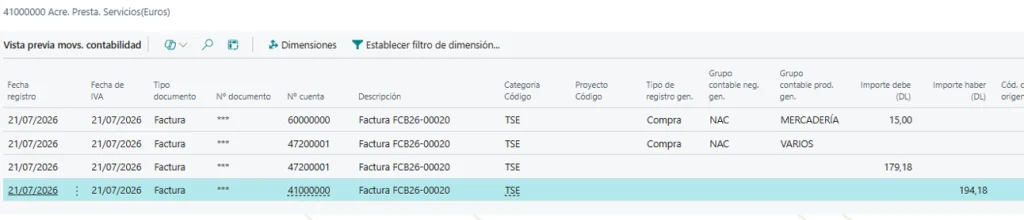
Which generates the following movements:


Record the customs agent or freight forwarder’s invoice
2.- The customs/brokerage agent's invoice (you could note the DUA number in his/our reference).
Watch out, if you notify the SII you have to report the DUA number
genera los siguientes movimientos

Import VAT and declarations
3.- The statements will be shown here
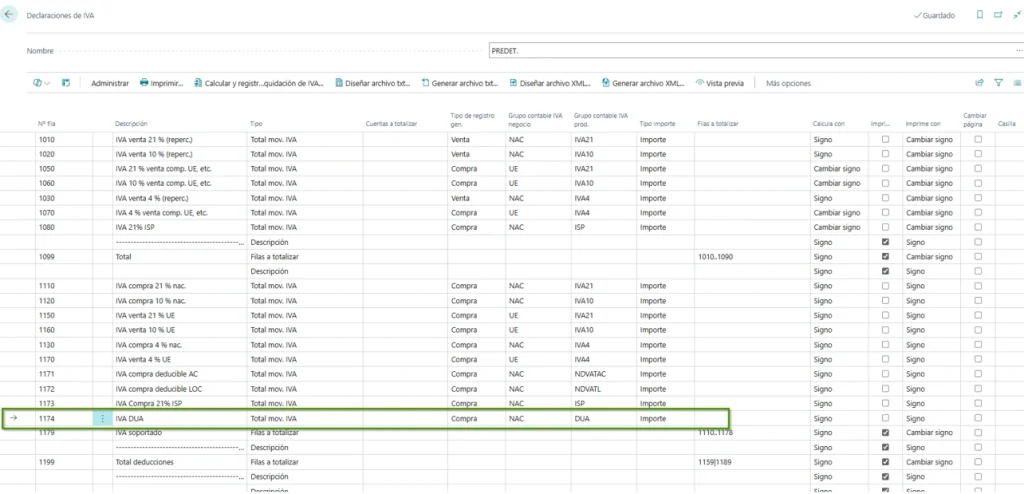
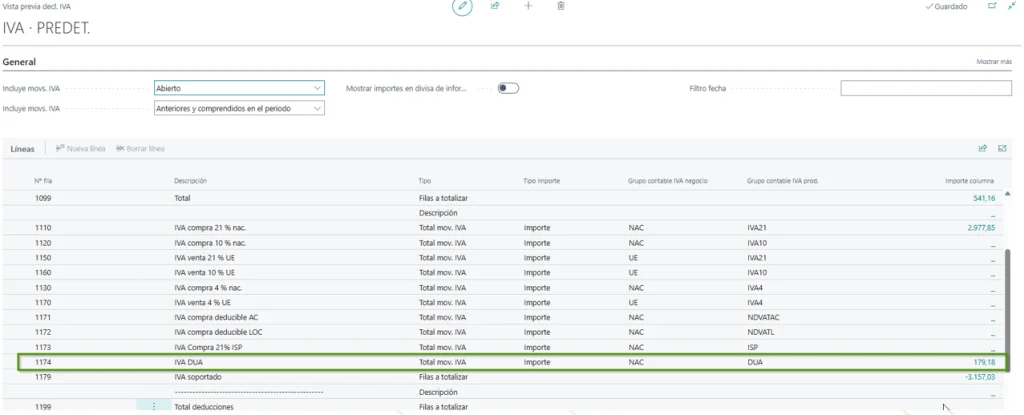
Manage import VAT with Business Central
The correct configuration of the Import VAT and the customs declarations in Business Central It's key for keeping proper track of foreign trade operations and making their correct accounting and tax management easier.
At ABD Consulting and IT Solutions We help companies set up and tailor Microsoft Dynamics 365 Business Central to their management processes, including import operations, taxes, SII, and other specific needs of each organization.
If you need help with set up import VAT with DUA in Business Central, review your current settings or clear up any questions about managing these operations, contact our team and we will help you find the best solution for your company.