

1. Introduction
In the previous article about Power Apps, we learned what it is and what it's used for Power Apps, as well as the benefits of combining it with our ERP Microsoft Businness Central and possible problems that an initial user may encounter in its implementation.
You can take a look at the article: Boost your business with Power Apps: The Perfect Combination for Microsoft Dynamics Business Central.
In this blog, we will analyze two main types of applications that can be created with Power Apps: Canvas Apps and Model-Driven Apps.
2. What are Canvas Apps?
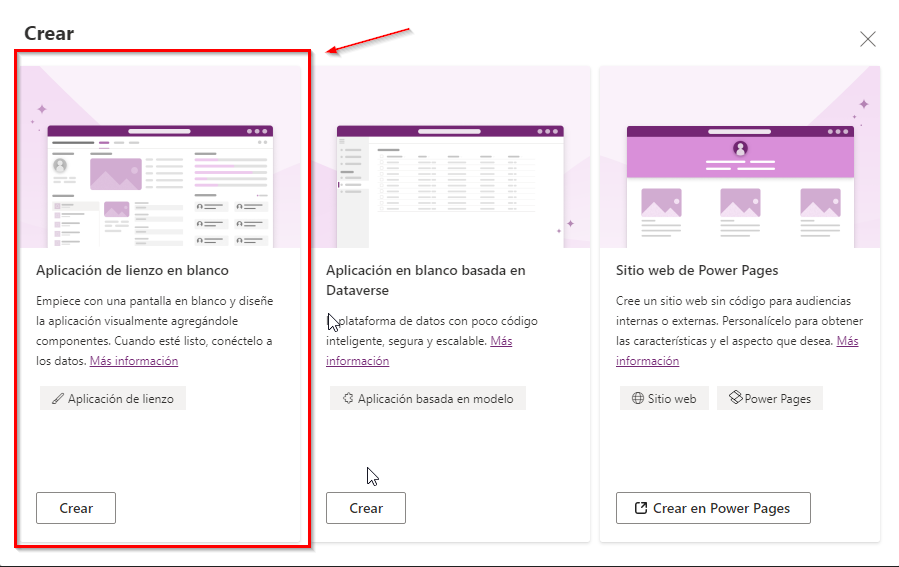
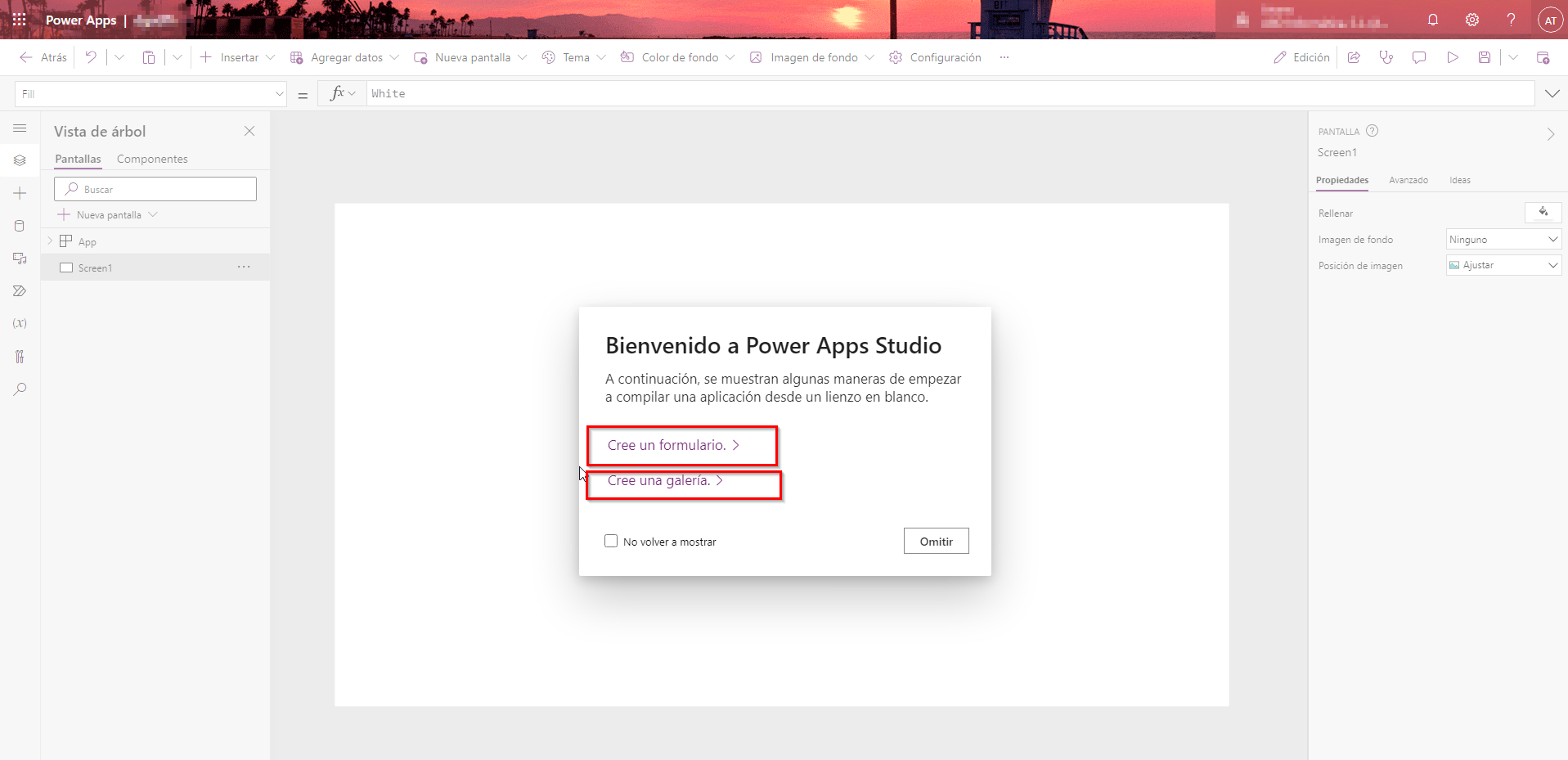
Canvas apps give users exceptional flexibility by allowing them to create applications simply by dragging and dropping elements onto a canvas.
Additionally, they can customize the appearance and user interface of their applications to their liking. Predefined templates available in canvas apps facilitate experimentation with the app design. Creating applications using this approach is simple and accessible.
With more than 200 data connectors available, it's easy to create and integrate your app with a wide range of Microsoft data sources like Excel, SharePoint, Teams, or Power BI; and third-party sources, adapted to different needs and browsers.
This approach is especially suitable for simple apps with specific purposes, such as expense control or on-site inspections, where ease of development and customization is fundamental.
3. What are Model-Driven Apps?
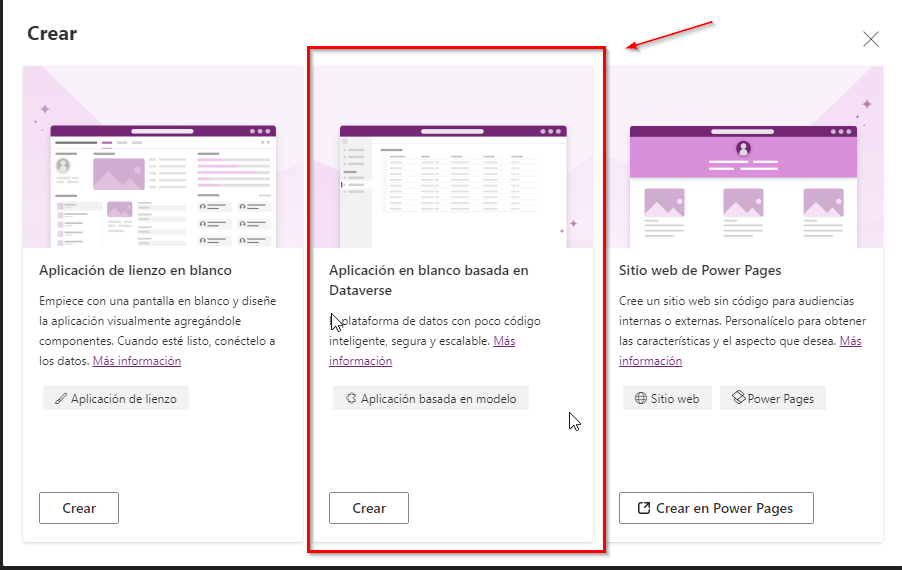
As its name suggests, if your goal is to create engaging and highly functional business applications, model-driven apps are the ideal choice for you. These applications allow you to develop solutions that require sophisticated and powerful business logic.
The exciting thing about model-driven apps is their versatility.
You can use them as standalone applications or as a solid foundation to support your company's canvas apps.
Whatever your approach, model-driven apps are designed by Microsoft to ensure you enjoy an exceptional user interface that works seamlessly across a variety of devices.

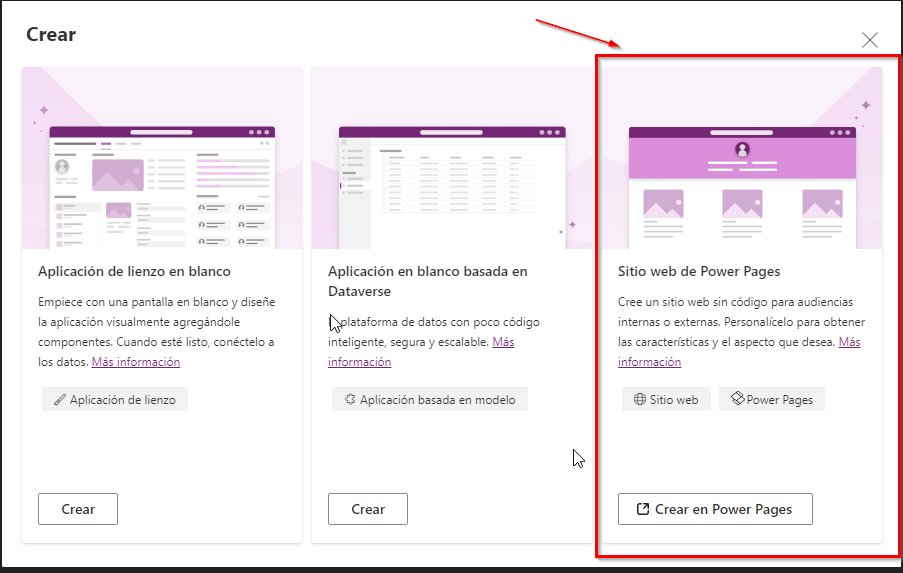
If you're creating an app for your customers to use on the web, you can also create a third type of app: portal app, with Power Pages. We'll cover this type in more detail in another article later.
4. Difference between Canvas and Model-Driven Apps
In this table we can see a summary of the differences between the different types of Power Apps.
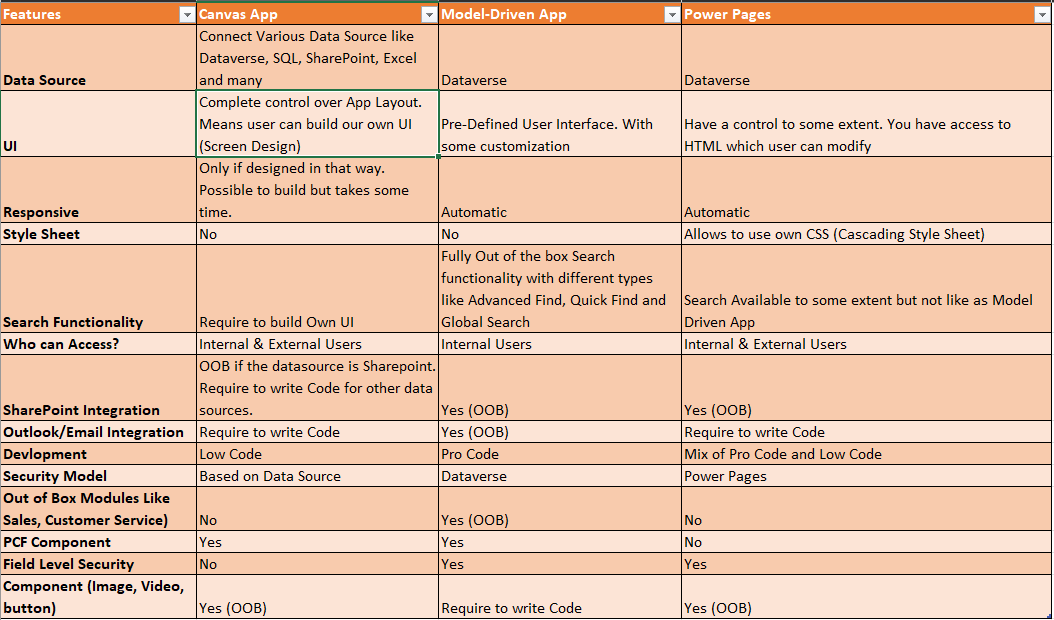
Source: https://learntoilluminate.com/
5. Which is better: Canvas apps or Model-Driven apps?
We cannot establish a clear preference between both, as your choice will depend entirely on the specific case in which you plan to use the app. Both have their merits and adapt to different scenarios.
Therefore, before jumping into creating an app, it is essential to consider certain underlying factors, such as:
- Whether you need a comprehensive solution for complex business processes.
- What will be the data source for creating an app?
- Whether you want to customize every aspect of your app or not.
- Whether the app you want to create is user-specific or task-based.
Depending on the scenarios above, you can choose the one that best suits your purpose, as Power Apps offers you two quite different ways to create an app.
https://learn.microsoft.com/es-es/power-apps/guidance/planning/app-type
As your trusted partner, we are ready to help you start this exciting journey toward business optimization and success. Contact us today HERE for more information and to start transforming your business!
I hope this post has been very helpful to you. In the following ones, we will learn more technical and functional aspects of Power Apps.
Dynamics 365 Development
ABD Consulting and IT Solutions