

Why are so many companies not taking full advantage of Copilot?
Although many organizations have already migrated to Microsoft 365, only a few are truly using Copilot strategically. Some have it enabled and don’t even know it. Others hesitate to integrate it into their routine due to lack of knowledge, fear of change, or lack of time.
From using Word to working with AI without even realizing it
Many users believe that Copilot is just an additional feature, but it is much more than that. It is an integrated artificial intelligence tool within the applications you already use every day: Word, Excel, Outlook, Teams, etc.
Common obstacles: lack of knowledge, insufficient training, and fear of change
Some common barriers are:
- Not knowing how to activate it or use it correctly.
- Believing it is “only for large companies.”
- Not having a clear guide to integrate it with Microsoft 365.
What Copilot can do in Microsoft 365 (and you’re not using yet)
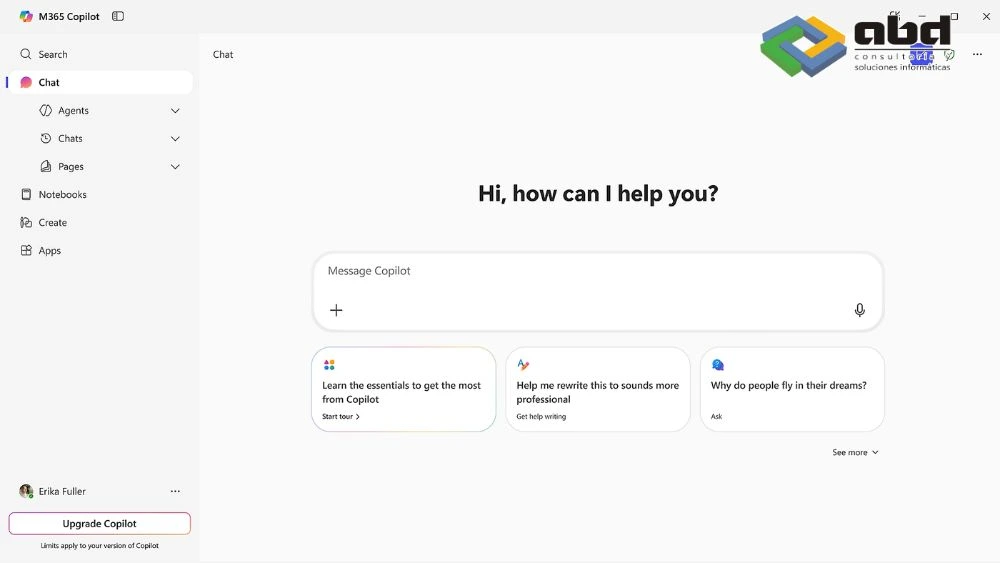
Copilot acts as an intelligent assistant that transforms the way you work with tools like Outlook, Excel, Word, or Teams. If you know how to make the most of it, it can help you save time, improve the quality of your work, and automate repetitive tasks.
Smart writing in Word and Outlook
- Drafts automatic emails and documents.
- Summarizes conversations and generates professional responses.
- Suggests improvements in style and tone.
Data analysis with Excel and Power BI
- Analyzes trends automatically.
- Answers complex questions about your data.
- It helps you generate dashboards and reports in seconds.
Decision‑making with Teams, Planner, and Loop
- Summarizes meetings, identifies tasks, and generates automatic follow‑ups.
- Connects notes, files, and messages into a single workflow.
Task automation with Copilot in SharePoint and OneNote
- Organizes information automatically.
- Suggests actions based on the content you store.
- Improves collaboration without losing control.
How to integrate Copilot into your work routine

First steps to enable and configure Copilot
- Review your Microsoft 365 license (E3/E5 or Business Standard/Premium + Copilot add‑on).
- Make sure your data is synchronized with OneDrive and SharePoint.
- Activate Copilot from the admin center.
Which roles in your company can benefit the most
- Leadership: executive summaries, global insights, automated reporting.
- Administration: automatic email processing, document drafting.
- Finance: analysis with Excel, forecasting, report control.
- Marketing/Sales: content creation, automated customer responses.
Tips and useful commands for each application
Practical examples:
- "Summarize this email in three clear sentences."
- "Create a bar chart with the data from this sheet."
- "Generate a draft for a commercial offer."
Is it worth it for an SME? Real cases of productivity improvement

Companies like yours are already achieving remarkable results after integrating Copilot into their workflows.
Reduction of administrative time
An estimated savings of up to 30% in drafting emails and recurring documents.
Better reports, fewer errors
By connecting Excel and Power BI with Copilot, the margin of error is reduced and analyses are accelerated.
More time for decisions, less for repetitive tasks
Staff spend more time on value‑added activities and less on mechanical tasks.
Ready to use Copilot for real? Download our practical guide
Free download: “Practical Guide: How to Integrate Copilot into Microsoft 365 Without Complications”
Includes:
- What Copilot can do in Microsoft 365.
- How to start using Copilot in your company.
- Recommendations to get the most out of it.
How can we help you from ABD?

At ABD Consulting and IT Solutions, we have spent more than 30 years supporting companies like yours in their technological transformation processes.
As official Microsoft partners, we help integrate tools such as Copilot into the Microsoft 365 ecosystem, adapting them to your real needs.
Whether you're just getting started or already using M365 but not taking full advantage of its potential, we can help you take the next step.