
The Business Central training for companies, it helps your users really take advantage of the ERP and work more efficiently. It's not enough just to implant Microsoft Dynamics 365 Business Central: to reach their full potential, teams need to know the features they use in their daily work and understand how to apply them to their processes.
When a company incorporates Business Central or expands the use of the ERP, it’s common for questions to come up: how to make the most of the available features? How to train new users? What options does each department have? How to reduce errors and manual tasks?
A training tailored to the company and its users It allows you to answer these questions based on real situations and makes it easier to adopt the system.
Why is it important to train Business Central users?
An ERP like Business Central gets involved in many areas of an organization. Finance, purchasing, sales, warehouse, projects, or production can work on the same platform, but Each user needs to know the relevant features and processes for their position.
That's why generic training isn't always enough.
The goal shouldn't just be to teach where each option of the program is, but to get users to understand how to use Business Central to work better.
A good education can help with:
- Take advantage of features that aren't being used right now.
- Reduce mistakes in entering and managing information.
- Improve users' autonomy.
- Standardize certain processes.
- Make it easier for new employees to get started.
- Get more out of the investment made in the ERP.
- Discover new possibilities for automation and management.
In short, Training users is an important part of the evolution of any Business Central implementation.
Business Central training tailored to each company
Not all companies use Business Central the same way. The processes, implemented modules, customizations, and user needs can be very different.
That's why training should start with a simple question:
What do our users need to do with Business Central in their daily work?
From there, it's possible to guide the content toward the organization's specific needs.
For example, a company might need training focused mainly on:
- Finance and accounting.
- Budget management.
- Buying and selling.
- Warehouse management.
- Fixed assets.
- Projects.
- Production.
- System administration.
- Development and extensions.
In this way, the course stops being a generic training on the ERP and becomes a tool for to improve users' daily work.
Microsoft Dynamics 365 Business Central Courses
The training can be tailored both to users who need an introduction to ERP and to profiles that require more specific knowledge.
Introduction training to Business Central
It's a suitable option for users who are starting to work with the ERP or need to get an overview of the platform.
It allows you to understand how Business Central works and get familiar with its main processes and features.
Advanced Business Central Training
When users are already experienced with the system, it can be more interesting to dive into specific areas.
For example, the training can focus on:
- Management of fixed assets.
- Management of projects.
- Budgets.
- Management of warehouses.
- Development of extensions for Business Central.
The goal is for the knowledge gained to have a direct application in the company's work environment.
Training for Business Central users

One of the keys for ERP training to work is to adapt the content to the attendees' profiles.
A user from the finance department doesn't need the same training as a warehouse manager or a system administrator.
Training by profiles and needs
Training aimed at users allows you to focus on the tasks they actually do.
For example:
Financial users
They might need to get deeper into accounting, budgets, fixed assets, or financial analysis.
Buying and selling users
You can focus on orders, invoices, customers, suppliers, and business processes.
Warehouse users
They may need specific training on inventory movements, locations, receiving, shipping, and warehouse management.
Advanced users and administrators
They may require knowledge about setup, management, extensions, or more advanced features.
This segmentation allows avoid unnecessary content and spend more time on features that really add value to each profile.
In-person or online Business Central training
Training doesn't have to be limited to just one format.
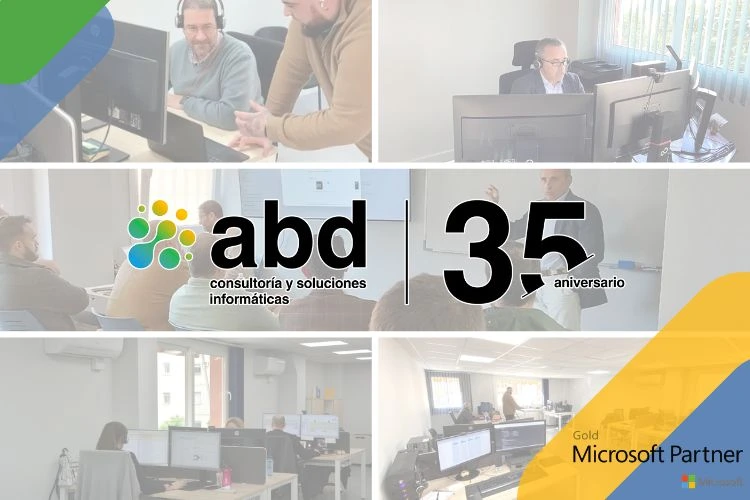
Depending on the company's needs, it can be considered online or in-person training, making it easier for teams to follow the course without location becoming a barrier. ABD offers both options within its corporate training service.
The in-person format can be especially interesting when you want to work directly with users and clear up questions about the processes they usually use.
The online format, on the other hand, makes it easier for geographically distributed teams to participate and allows for more flexible session scheduling.
Hands-on training based on real cases

Learning an ERP is much more useful when the concepts can be related to situations that users recognize.
That's why a hands-on training can bring up examples like:
- How do we record this transaction in Business Central?
- What happens if we need to correct this document?
- How can we get this information?
- What functionality can we use to avoid this manual work?
This approach allows you to connect theory with daily work and makes it easier for the knowledge you gain to be applied in the real business environment.
In the US, courses are designed with applied methods, practice, and real cases, and they are taught by certified professionals with extensive experience in the field.
When does a company need training in Business Central?
It's not necessary to wait for a problem to train the users.
There are different situations where specific training can be especially useful.
After implementing Business Central
After an implementation, users need to get familiar with the new environment and with the processes defined for the company.
When new users join
The arrival of new employees creates a recurring need for training. Having a defined program makes it easier for them to get onboard and reduces the time needed to become independent.
After an update
Business Central is constantly evolving. New versions can include features that help improve processes that were previously done differently.
Specific training helps to identify what new things could be useful for the company.
When the ERP is used below its potential
It can also happen that Business Central has been implemented for years, but users only use a small part of the available features.
In that case, a training can help detect new possibilities for use, automation, and process improvement.
How to Make the Most of a Business Central Training
For a course to have a real impact, we recommend keeping a few things in mind before getting started.
1. Identify the users' needs
Before defining the content, it's worth knowing what tasks the assistants perform and what their main difficulties are.
2. Separate the profiles
Whenever possible, it's recommended to tailor training to the different user profiles.
3. Use examples from the company
Practical cases related to real situations make understanding and later application easier.
4. Answer common questions
Training should also help identify processes that create mistakes, doubts, or unnecessary work.
5. Check out the new features
If the company has been using Business Central for a while, it's worth checking periodically which new features can add value.
What Business Central training does ABD offer?
At ABD, we offer specialized business training in Microsoft Dynamics 365 Business Central, as well as courses related to other Microsoft technologies.
Within the Business Central training, courses included are:
- Introduction to Microsoft Dynamics 365 Business Central
- Extension programming for Microsoft Dynamics 365 Business Central
- Fixed Assets in Microsoft Dynamics 365 Business Central
- Projects in Microsoft Dynamics 365 Business Central
- Budget Management in Microsoft Dynamics 365 Business Central
- Warehouse Management in Microsoft Dynamics Business Central
The content can be adapted to the specific needs of the organization and the users' profiles.
Also, ABD has certified professionals and experts in the technologies they teach, with experience in consulting and technology implementation.
Business Central Training and FUNDAE Bonus
Training for companies can qualify, when the corresponding requirements are met, for the FUNDAE bonuses.
ABD offers management and advice related to continuous training credits to help companies take advantage of the available bonus opportunities.
It's important to always check the conditions and requirements applicable to each company before considering a training as eligible for funding.
Business Central Training: Turning Knowledge into Results
Implementing an ERP is just one part of the process. Getting users to know how to use it correctly and make the most of its possibilities is what allows turning that tech investment into real results.
Proper training helps reduce the learning curve, improve users' independence, and discover features that can simplify processes.
If your company already works with Microsoft Dynamics 365 Business Central And if you want to improve the knowledge your teams have about the ERP, at ABD we can help you design training tailored to your needs.
Tell us what profiles you want to train, which areas of Business Central you use, and what your main needs are. Our team will work with you to find the most suitable training.