


The training in Microsoft 365 For companies, it is one of the most profitable investments to improve productivity, make the most of Microsoft tools, and speed up the digital transformation of any organization.
Many companies already have Microsoft 365 licenses, but a large part of its features continue to be underused. Apps like Outlook, Teams, SharePoint, OneDrive, Excel o Microsoft 365 Copilot they offer enormous potential to optimize daily work, although their adoption largely depends on the users' knowledge.
Training teams not only helps them use these tools better, but also reduces mistakes, improves collaboration, and makes it easier to roll out new technologies.
In this article, we explain why training in Microsoft 365 is key for any company and how to choose a program that fits your organization's needs.
Why is training in Microsoft 365 important?

Implement Microsoft 365 It doesn't guarantee an improvement in productivity on its own.
It's common to find organizations that use only a small part of the features included in their licenses.
For example:
- Teams that use Microsoft Teams only to make video calls.
- Users who keep sending files by email instead of sharing them from OneDrive or SharePoint.
- Companies that are unaware of the automation possibilities with Power Automate.
- Organizations that still haven't taken advantage of Microsoft 365 Copilot to save time on repetitive tasks.
Organizations that still haven't taken advantage of Microsoft 365 Copilot to save time on repetitive tasks.
Benefits of training users in Microsoft 365

Investing in training brings advantages for both the company and the employees.
Higher productivity
When users know the tools better, they complete their tasks faster and more efficiently.
For example:
- Create collaborative documents in real time.
- Automate repetitive tasks.
- Organize more effective meetings.
- Manage email more efficiently.
- Find information faster.
Better collaboration between teams
Microsoft 365 is designed to make collaborative work easier.
Proper training helps you use tools like:
- Microsoft Teams.
- SharePoint Online.
- OneDrive.
- Microsoft Loop.
This helps communication and reduces document duplication.
Greater security
Many cybersecurity incidents originate from human errors.
Training users in good practices helps to:
- Sharing information securely.
- Manage permissions correctly.
- Detect phishing attempts.
- Protect corporate information.
Taking advantage of artificial intelligence
Microsoft is adding AI capabilities to pretty much all of its apps.
Knowing how to use Microsoft 365 Copilot allows:
- Summarize meetings.
- Write documents.
- Analyze data.
- Generate presentations.
- Automate everyday tasks.
Training is the first step to getting real value from these new capabilities.
Which Microsoft 365 apps should be part of a training plan?

Every company has different needs, but a complete program usually includes training on the main applications in the Microsoft ecosystem.
Microsoft Outlook
Learn to manage email more efficiently through rules, categories, shared calendars, and automation.
Microsoft Teams
Advanced use of chats, channels, meetings, document collaboration, and integration with other apps.
Microsoft Excel
From basic functions to pivot tables, data analysis, Power Query, or automation.
Microsoft Word and PowerPoint
Creation of professional documents and more effective presentations.
OneDrive and SharePoint
Document management, secure storage, collaboration, and version control.
Microsoft 365 Copilot
Training aimed at making the most of artificial intelligence in daily work through prompts, automation, and content generation.
What should effective training in Microsoft 365 be like?

A really useful training should adapt to the level and needs of each organization.
Some important aspects are:
Practical content
Users learn better when they work with real examples related to their daily activities.
Training tailored by profiles
Not all employees need to learn the same thing.
For example:
- Address.
- Administration.
- Commercial.
- Human Resources.
- Finance.
- Technical teams.
Each department uses Microsoft 365 differently.
Continuous update
Microsoft adds new features practically every month.
Keeping your knowledge up to date lets you continue taking advantage of all the new things.
Microsoft 365 training in-person, online, or tailored

Each company can choose the format that best fits its organization.
The most common options are:
In-person training
Ideal for teams that want hands-on sessions with direct interaction.
Live online training
It allows training employees located at different sites while keeping interaction with the trainer.
Personalized training
Specifically designed for the tools and processes that each company uses.
This format usually offers a greater impact by focusing on real use cases.
When is it a good idea to train users?
There are several moments that are especially suitable:
- Implementation of Microsoft 365.
- Migration from other platforms.
- Integration of Microsoft 365 Copilot.
- Change of internal processes.
- Change of internal processes.
- Launch of new features.
However, training can also be seen as an ongoing process to keep everyone's knowledge in the organization up to date.
Microsoft 365 Training with ABD
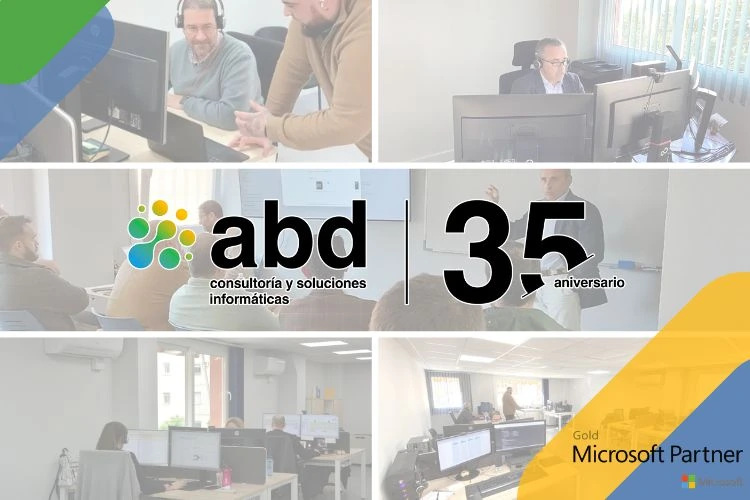
At ABD Consulting and IT Solutions we offer Microsoft 365 training programs for companies adapted to the needs of each organization.
Our catalog includes training on:
- Microsoft Teams.
- Outlook.
- Excel.
- Word.
- PowerPoint.
- OneDrive.
- SharePoint
- Microsoft 365 Copilot.
- Power BI.
- Power Platform.
- Good practices for productivity and collaboration.
We design training activities for both end users and administrators, combining theory and practice to make it easier to quickly adopt Microsoft tools.
Our goal is for every company to get the most out of the Microsoft 365 licenses they already have.
Boost your team's knowledge with ABD
Microsoft 365 offers much more than just email or video conferencing. Its real potential shows up when users know all the tools available and how to apply them to their daily work.
Invest in Microsoft 365 training for businesses It allows you to improve productivity, encourage collaboration, increase security, and speed up the adoption of technologies like Microsoft 365 Copilot.
If you want your organization to make the most of the Microsoft ecosystem, having a tailored training plan can make all the difference.
At ABD Consulting and IT Solutions We help companies develop their employees' digital skills through training programs tailored to each organization.
Our courses combine up-to-date content, hands-on sessions, and real-life cases so that users can put everything they've learned into practice from day one.
Do you want to train your team in Microsoft 365? Contact us and we will design a training plan tailored to the needs of your company.