What's new in Business Central 2026 They are incorporating new possibilities to automate processes, improve financial management, and take advantage of artificial intelligence within the ERP.
Microsoft Dynamics 365 Business Central It keeps evolving, and the new features aren't just small changes to the interface. The platform is adding capabilities for AI, agents, automation, quality management, and new financial tools that can change the way companies work with their ERP.
But knowing that a new feature exists is one thing, and understanding how it can be applied in a company's day-to-day is a whole different story.
That's why, here at ABD we've put together a practical webinar about the new features in Business Central 2026, in which we will show different features through examples and demonstrations.
The session will take place on Thursday, September 24, 2026, at 10:00 a.m., will have an approximate duration of 60 minutes and will be especially aimed at companies that use Business Central or are considering moving to this ERP.
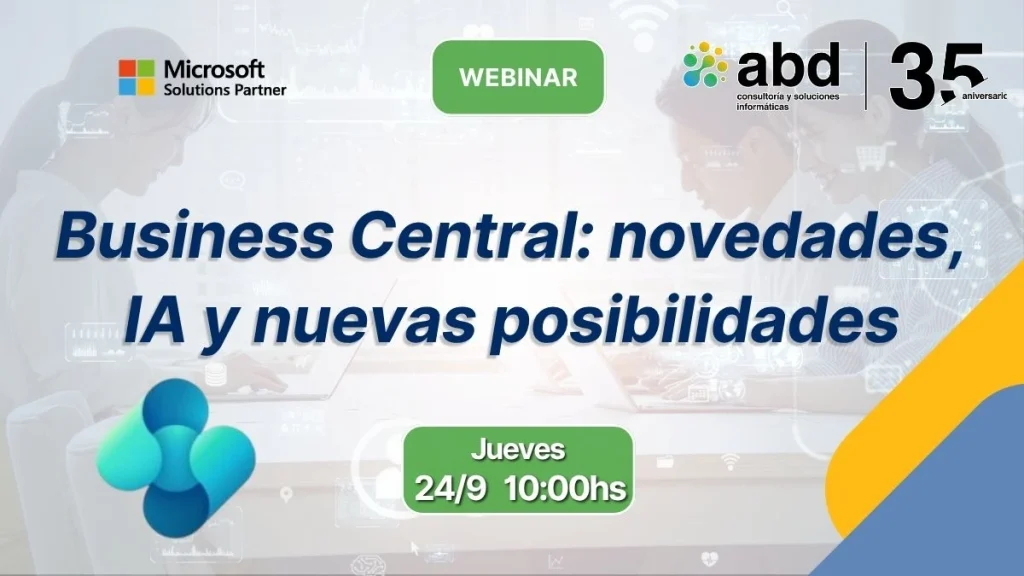
Date and details of the webinar
Date: Thursday, September 24, 2026
Time: 10:00 A.M.
Duration: 60 minutes
Formato: online
Speakers
- Jesús Delgadillo – Business Development at ABD
- Manuel Peralta – Consulting Director at ABD
- Eduardo Marín – Chief Operating Officer at ABD
What's new in Business Central in 2026?
The evolution of Business Central during 2026 is marked by several lines of work: artificial intelligence and agents, process automation, financial management, and operational improvements.
Microsoft is bringing new features to Business Central 2026 related, among other areas, to Copilot and agents, expense management, tax withholdings, electronic documents, and supply chain management.
In our webinar, we will focus especially on those updates that can have a practical and direct application in business management:
- New possibilities with AI and Copilot.
- Withholding management in Business Central.
- New quality management features.
- Automation of expense management.
- Improvements related to management and productivity.
- New opportunities to make the most of Business Central in daily processes.
The idea is not to make a list of new things, but show what these features really contribute and in what situations they can be useful.
Business Central and Artificial Intelligence: Beyond the Traditional Assistant
One of the big changes in the evolution of Business Central 2026 it's the growing prominence of artificial intelligence.
Copilot setup It allows you to work with Business Central information and processes using natural language, while agents can take on certain tasks with less human intervention.
Microsoft makes a clear distinction between Copilot, which helps the user perform certain tasks, and AI agents, which can automate specific processes more independently while maintaining oversight mechanisms.
What can AI bring to an ERP?
The practical application of AI in Business Central can be found in tasks such as:
- Consult business information using natural language.
- Analyze data and generate more useful views.
- Summarize information from records.
- Suggest information when creating documents.
- Automate financial processes.
- Process invoices.
- Manage expenses.
- Detect certain exceptions or anomalies.
- Make interacting with ERP data easier.
For example, instead of spending time manually locating certain information across different records, the user can use Copilot's capabilities to find data, analyze it, or better understand a process.
And evolution goes a step further with agents.
Copilot and agents: what's the difference?
A simple way to understand it is the following:
Copilot helps the user work. Agents can take care of certain processes.
For example, Microsoft is adding agents to automate financial processes like accounts payable. The Payables Agent can monitor a mailbox, detect invoices, extract information, and match it with orders and receipts before getting the process ready for review.
This opens up an interesting perspective for companies: ERP stops being just a system where operations are recorded and starts actively participating in certain business processes.
Why is it important to know what's new in Business Central?
Keeping up with the new features of Business Central shouldn't just be about knowing which new buttons or screens each version adds.
The really important question is:
What can these new developments bring to my company?
A new feature might have little value if it doesn't address a real need. On the other hand, a seemingly small improvement can have a big impact when it gets rid of a repetitive task that several people do every day.
That's why we recommend looking at the updates from three perspectives:
1. Productivity
Does it allow reducing manual tasks?
2. Automation
Can Business Central take care of part of the process?
3. Information and control
Does it allow you to have more complete data to make decisions?
This way of analyzing new features helps avoid a common mistake: activating new tools just because they're available, without first figuring out where they can add value.
Business Central 2026 Webinar: What's New and Hands-On Demos
To get to know these features in a much closer way, we have prepared a hands-on session in which we will explain the main updates and show different usage examples.
What will we see during the webinar?
In the session we'll cover:
New features of Business Central
We'll go over some of the most relevant improvements and their application in business management.
AI and Copilot
We'll see how artificial intelligence can be integrated into the usual ERP tasks.
Withholdings
We will show the new possibilities for managing withholdings in the Business Central standard.
Quality management
We will explain how quality inspections and checks can be automated within ERP processes.
Expense management
We’ll look at how AI can make it easier to capture, classify, and manage expenses.
Automation
We'll see how these features can help reduce repetitive tasks and improve productivity.
The intention is that by the end of the session you not only know what new features does Business Central 2026 includebut that you can identify which ones might make sense for your own company.
Who is this Business Central webinar aimed at?

This session is especially designed for:
- Companies that are already using Microsoft Dynamics 365 Business Central.
- Companies that are considering implementing or moving towards Business Central.
- ERP and systems managers.
- Financial directors.
- Administration managers.
- Operations professionals.
- Companies that want to learn about the new capabilities of Business Central.
- Organizations interested in applying AI and automation to their processes.
It's not necessary to technically know all the new features of Business Central to get the most out of the session.
The goal is to explain what they do, how they work, and what use they can have in real business scenarios.
Do you want to know the latest news about Business Central 2026?
Business Central is evolving into an ERP that’s increasingly connected, automated, and powered by artificial intelligence.
The new features of Copilot, agents, expense management, withholdings, and quality They show how Microsoft is bringing automation to increasingly specific business processes.
But keeping up with the news is just the first step. The really interesting thing is discovering how they can be applied to your company's processes and what impact they can have on productivity, control, and efficiency.
Reserve your spot in the Business Central 2026 updates webinar and discover the new possibilities your ERP can offer you.