

The Dynamics 365 release waves come to an end in September 2026. Microsoft has announced which abandons the communication model based on two big annual waves and moves to a continuous roadmap, integrated into the new AI at Work roadmap.
What does this mean for companies using Dynamics 365, Power Platform, or Dataverse? Is the 2026 Release Wave 2 disappearing? Are the Business Central updates changing? Where will we have to check for the upcoming news?
The short answer is that Microsoft is changing the way it communicates and shares updates, but that doesn't change the product rollout schedule.
And this nuance is important. If up until now your team used release waves to plan updates, test features, or decide which new things to adopt, it's good to know which tools to use from now on.

What were the release waves of Dynamics 365?
The release waves of Dynamics 365 and Power Platform They were the system that Microsoft used to group and communicate the main updates of its business applications.
The model was traditionally divided into two main periods:
- Release Wave 1: features planned between April and September.
- Release Wave 2: features planned between October and March.
Each wave had a launch plan that allowed you to check the planned features, their estimated dates, affected products, and availability phases.
For the systems and business managers, this had an obvious advantage: Twice a year, there was a specific time to review what was going to change and get ready to adopt new features.
That model disappears as a system for publishing new plans starting from September 2026. Microsoft has confirmed that the new capabilities of Dynamics 365, Power Platform, and Dataverse will move to AI at Work roadmap.
AI at Work roadmap
The fundamental change is how and when Microsoft communicates new features.
Until now, a capability could appear within a Release Wave 1 or Release Wave 2 plan. Starting in September, Microsoft is betting on a model of continuous posting.
This means that the new capabilities will be added to the roadmap when the plans are committed and ready to be communicated, without having to wait for the next wave.
Each element can continue evolving through different states, such as:
- In Development
- Rolling Out
- Launched
Therefore, the roadmap stops being just a snapshot of what Microsoft expects to release in the coming months and becomes a space that allows to follow the development of each feature until its launch.
Does that mean the new stuff will arrive sooner?
Not necessarily.
This is one of the points that it’s worth clarifying. The change in the roadmap doesn't mean that Microsoft is automatically speeding up the development or deployment of Dynamics 365.
What changes is the timing of when Microsoft communicates the capabilities.
The company itself points out that the products that already have established rollout schedules they will keep those calendars.
In other words:
Change the way you communicate updates, not necessarily the way the product itself is updated.
What is the AI at Work roadmap?
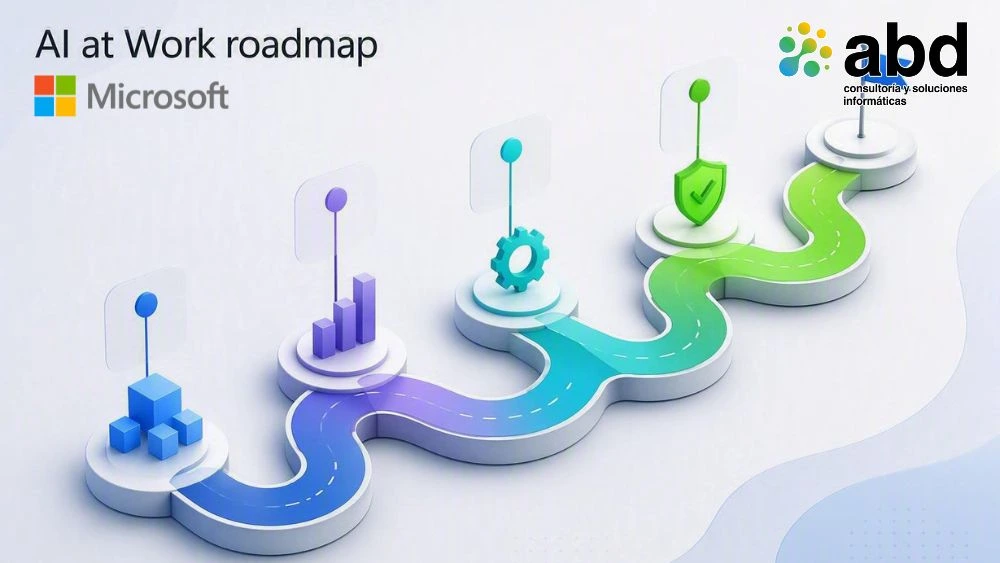
The AI at Work roadmap It will be the new central point for checking the planned capabilities of Dynamics 365, Power Platform, and Dataverse, along with other technologies in the Microsoft ecosystem.
Microsoft's idea is to bring together the news about different products in one place to make planning technology adoption easier.
This makes sense if we keep in mind that companies no longer use each solution in isolation.
For example, an organization can work simultaneously with:
- Dynamics 365 Business Central.
- Power Platform.
- Microsoft 365.
- Copilot.
- Dataverse.
- Power Automate.
- Copilot Studio.
A new feature can affect more than one of these products. A common roadmap therefore makes it easier to analyze new developments from a more cross-cutting perspective.
What advantages does the new roadmap have?
The new model includes several tools that can be useful for IT and business managers.
Filter the news that affects your company
It won't be necessary to review all of Microsoft's features.
The roadmap allows filter the information by products and other criteria, so that each organization can focus on the technologies it actually uses.
Export the information
Microsoft also allows export the full or filtered information to CSV.
This can be especially useful for teams that want to incorporate the updates into their own tracking systems, reports, or internal planning processes.
Subscribe via RSS
Another possibility is to use RSS to receive updates from the filtered views.
This is important because, with the end of the release waves, relying solely on manually checking the roadmap every six months will no longer be enough.
Share the roadmap
The views of the new roadmap can be shared directly with other managers and teams.
Microsoft is also introducing a Release Communications MCP Server, aimed at organizations that want to access and integrate roadmap information through AI tools and their own workflows.
What doesn't change with the end of the release waves?
This is probably the most important part for companies.
Microsoft's announcement is very clear: The change affects the way news is communicated, not how products are built, published, or deployed.
The updates for Dynamics 365 keep coming
The fact that release waves disappear doesn’t mean that Dynamics 365 will stop getting updates.
Products that have a deployment schedule in place continue to follow that schedule.
Therefore, a company that uses Dynamics 365 Business Central You should keep paying attention to their updates and the specific communications from your environment.
For example, Business Central 28 corresponds to the 2026 Release Wave 1, and Microsoft continues to release regular updates for that version.
Microsoft Message Center is still key
The Message Center it doesn't disappear either.
And here there is a difference that is worth understanding.
The roadmap answers a question:
What is Microsoft preparing for its products?
The Message Center replies to another:
What changes specifically affect my organization?
The Message Center continues to be, therefore, a key tool for Microsoft 365 admins and for staying on top of communications specific to the tenant.
Microsoft also confirms that during the transition, notifications and updates related to content migration will be communicated through the Message Center.
Microsoft Learn continues
Microsoft Learn will continue to be Microsoft's documentation platform.
Old plans don't disappear immediately either: The historical contents of the release waves will continue to be available as a reference.
What's up with the 2026 Release Wave 2?

This is probably the question that Dynamics 365 managers will ask themselves the most during September.
There won’t be an announcement or a Release Wave 2 plan for September 2026 like the previous ones.
Microsoft explicitly confirms that the new capabilities will stop being grouped into a new release wave and will instead be published on the AI at Work roadmap as soon as they are committed and ready to be shared.
Therefore, The fall of 2026 marks the definitive change of the model.
We shouldn't interpret this as Dynamics 365 stopping its evolution between October and March. What's disappearing is the release of a new Wave 2 document that groups those updates.
What's going on with the Release Planner?
Another tool that changes with this transition is Release Planner, which will stop being the main destination for checking the new features.
Microsoft sets the deadline as November 15, 2026, the moment when the transition will end and the AI at Work roadmap will become the main destination for public roadmap information.
This means that companies should start reviewing from now:
- Browser bookmarks and favorites.
- Links included in internal documentation.
- Follow-up reports on updates.
- Internal update procedures.
- Custom views used to review the release waves.
- Documentation that refers to the Release Planner.
Will the saved views from My Release Plans be preserved?
No.
The Custom views saved in My Release Plans will not be carried over to the new AI at Work roadmap.
Microsoft says that the new roadmap has filters and lets you save views to make tracking easier, but existing custom views won't be available after Release Planner is retired.
That's why, if your team regularly used these views to track updates in Dynamics 365 or Power Platform, it's worth documenting the filters you used and rebuilding them in the new system.
What happens with the old release wave plans?
Not everything disappears.
The previous release plans they will continue to be available as historical information on Microsoft Learn.
Also, during the transition period, Microsoft will move to the new roadmap any content that has a Public Preview or General Availability date starting from June 1, 2026. The above content will remain available in existing plans as a historical reference.
This allows for maintaining some continuity between the old information and the new system.
Transition calendar: September to November 2026
If you need a quick reference, these are the dates you should keep in mind:
| Date | What's up |
|---|---|
| September 2026 | The new capabilities of Dynamics 365, Power Platform, and Dataverse are starting to be published in the AI at Work roadmap. |
| September-November 2026 | Existing content is moved with Preview or GA from June 1, 2026. |
| November 15, 2026 | The transition ends and Release Planner stops being the main destination. |
These dates come from the transition calendar published by Microsoft.
What should a company that uses Dynamics 365 do?

The change doesn’t require a technical migration of Dynamics 365, but it could be a good time to review how updates and news from the Microsoft ecosystem are managed internally.
I would recommend these five steps.
1. Review the new AI at Work roadmap
Start by identifying the products your organization uses and setting up filters so you don’t have to go through the entire catalog.
2. Check the communications in the Message Center
It's not a good idea to replace the Message Center with the roadmap.
Both have different functions and The first one will continue to be essential for understanding the changes that specifically affect the company's environment.
3. Document the relevant updates
Instead of waiting twice a year to check all the features, it might be more useful to set up a regular review.
For example:
A monthly or quarterly review about the updates in Dynamics 365, Power Platform, Microsoft 365, and Copilot that might have an impact on the organization.
4. Update the internal documentation
If there are procedures or documents that still refer to Release Planner or release waves, it's a good idea to update them before November 15, 2026.
5. Analyze which new things are worth adopting
Not all the new features need to be implemented right away.
The goal should be to go from:
What new things has Microsoft released?
a:
What news can bring value to our company?
This shift in focus is especially important in an ecosystem that is evolving faster and faster with new automation capabilities, AI, and agents.
What does this change mean for Business Central?
For the users of Dynamics 365 Business Central, there is a particularly important nuance: The end of the release waves doesn’t mean the ERP update process goes away.
Business Central continues to evolve and receive new versions and updates. What changes is the way Microsoft organizes and publicly communicates information about future capabilities.
In fact, in 2026 Business Central continues to receive functional, technical, and AI-related improvements. Version 28, for example, incorporates new Copilot capabilities, automation, and platform enhancements, while the 28.x updates keep introducing new features and fixes.
For a company using Business Central, it will therefore continue to be important:
- Get to know the new features of each version.
- Check the compatibility of the extensions.
- Test changes in sandbox environments.
- Analyze the impact on custom processes.
- Plan the updates.
- Deciding which new features to adopt.
The roadmap change it doesn't eliminate the need to manage the ERP lifecycle.
Release waves de Dynamics 365: un cambio de modelo, no de producto
The end of the release waves de Dynamics 365 it marks a significant change in the way we track the evolution of Microsoft's business applications.
Until now, companies had two big moments each year to review the news. Starting in September 2026, Microsoft is betting on a model always-on, in which capabilities appear in the AI at Work roadmap when they are committed and can be tracked during their evolution.
The most important conclusion is simple:
Dynamics 365 keeps updating. The release waves model as a way to publicly communicate and plan new capabilities disappears.
For companies, the challenge will be to adapt their internal processes to go from a semi-annual review to a continuous and structured monitoring of updates.
And this can even turn into an opportunity: instead of waiting six months to find out everything Microsoft is preparing, teams will be able to identify sooner the features that can really bring value to their business.
Do you need help managing the evolution of your Business Central?

At ABD we help companies that use Microsoft Dynamics 365 Business Central to plan updates, review the impact of new features, and get their environments ready for the ERP's evolution.
If you want to know what changes can affect your Business Central and which new features are worth adopting, contact our team.